Health and Safety Information - Nintendo

Extrait du fichier (au format texte) :

5

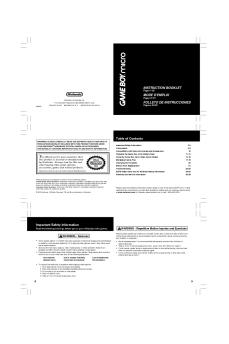
Health and Safety Information

Throughout this manual, you will see this symbol followed by WARNING or CAUTION, or you may see the term IMPORTANT. These terms have different levels of meaning as outlined below. Please read and understand these terms and the information that appears after them before using your DS system:

WARNING

Warns you about incorrect use of the Nintendo DSi that could result in serious personal injury.

CAUTION

Cautions you about incorrect use of the Nintendo DSi that could result in personal injury or damage to the Nintendo DS system, components, games or accessories.

IMPORTANT:

Informs you about incorrrect use of the Nintendo DSi that could result in damage to the Nintendo DS system, components, games or accessories.

WARNING - Seizures
" Some people (about 1 in 4000) may have seizures or blackouts triggered by light flashes or patterns,
and this may occur while they are watching TV or playing video games, even if they have never had a seizure before.
" Anyone who has had a seizure, loss of awareness, or other symptom linked to an epileptic condition should consult a doctor before playing a video game.
" Parents should watch their children play video games. Stop playing and consult a doctor if you or your child has any of the following symptoms:
Convulsions
Eye or muscle twitching
Loss of awareness
Altered vision
Involuntary movements
Disorientation
" To reduce the likelihood of a seizure when playing video games:
1. Sit or stand as far from the screen as possible.
2. Play video games on the smallest available television screen.
3. Do not play if you are tired or need sleep.
4. Play in a well-lit room.
5. Take a 10 to 15 minute break every hour.

WARNING - Battery Leakage
Nintendo portable video game systems contain a rechargeable lithium ion battery pack. Leakage of ingredients contained within the battery pack, or the combustion products of the ingredients, can cause personal injury as well as damage to your Nintendo DS. If battery leakage occurs, avoid contact with skin. If


Les promotions


OrigamiInstructions Pikmin Head Blue DE
17/09/2024 - www.nintendo.com
Blaues Pikmin  Kopf Zusatz: Augen Empfohlene Papiergr??e: 20 x 20 cm Schneide diese zum sp?teren Zusammenbau aus  geh vorsichtig mit der Schere um! Falte mit der Anleitung in diesem Video mit! https://youtu.be/zW0sj2sWr8g 3 1 5 2 Falte das Papier beidseitig in der H?lfte, indem du die Ecken aneinanderlegst. 6 7 4 Falte die linke Spitze entlang Falte die linke und rechte des vertikalen Knickes aus Seite an den angezeigten Schritt 3 nach rechts und Punkten so nach innen, dass streiche...

Health and Safety Information - Nintendo
02/12/2014 - www.nintendo.com
5 Health and Safety Information Throughout this manual, you will see this symbol followed by WARNING or CAUTION, or you may see the term IMPORTANT. These terms have different levels of meaning as outlined below. Please read and understand these terms and the information that appears after them before using your DS system: WARNING Warns you about incorrect use of the Nintendo DSi that could result in serious personal injury. CAUTION Cautions you about incorrect use of the Nintendo DSi that...

game & wario - Nintendo
24/07/2018 - www.nintendo.com
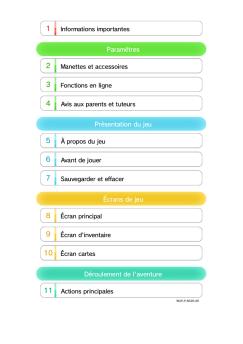
1 Informations importantes Installation 2 Fonctions en ligne 3 Avis aux parents et tuteurs Pour commencer 4 Comment jouer 5 Sauvegarder et effacer des données Débloquer des jeux 6 Types de jeu 7 UN JOUEUR (1) 8 UN JOUEUR (2) 9 UN JOUEUR (3) 10 MULTIJOUEUR 11 MIIVERSE SKETCH

Wii Zapper - Nintendo
12/10/2017 - www.nintendo.com
C/RVL A ZA USZ Wii Zapper Operations Manual Mode d emploi  page 9 NEED HELP WITH INSTALLATION, MAINTENANCE OR SERVICE? Manual de Operaciones  página 17 Nintendo Customer Service SUPPORT.NINTENDO.COM or call 1-800-255-3700 BESOIN D AIDE POUR L INSTALLATION, L ENTRETIEN OU LA RÉPARATION? Service à la Clientèle de Nintendo SUPPORT.NINTENDO.COM ou appelez le 1-800-255-3700 ¿NECESITAS AYUDA DE INSTALACION, MANTENIMIENTO O SERVICIO? Servicio al Cliente de Nintendo SUPPORT.NINTENDO.COM o...

AR Cards - Nintendo
AR Cards - Nintendo
02/12/2014 - www.nintendo.com
The Official Seal is your assurance that this product is licensed or manufactured by Nintendo. Always look for this seal when buying video game systems, accessories, games and related products. FOR MORE INFORMATION, SEE THE BUILT-IN INSTRUCTION MANUAL To view the built-in instruction manual, tap the button labeled Manual  displayed on the HOME Menu. NEED HELP PLAYING A GAME? For game play assistance, we recommend using your favorite Internet search engine to find tips for the game you are playing....

Controls The Professor's Trunk - Nintendo
02/12/2014 - www.nintendo.com
Daily Puzzles via Internet Connection Players with wireless Internet access can download a new puzzle every day for a full year after the release of Professor Layton and the Miracle Mask! Solve them just like you would the normal puzzles in your Puzzle Index. Note: To download the daily puzzles, you will need an SD Memory Card. Please do not remove the SD Card while data is being transmitted. Downloading New Puzzles 1 Connect to Nintendo Network following the directions in the Nintendo 3DS Operations...

Dsa Transparency Report As At 28th February 2025
30/10/2025 - www.nintendo.com
Digital Services Act (DSA): Nintendo Transparency Report for the EU market as at 28th February 2025 Introduction: At Nintendo, we want to create experiences that put smiles on faces for everyone. In order to achieve this, it is crucial to keep our Nintendo games, and online services safe, friendly, welcoming, and fun for all. Our Community Guidelines outline our expectations when engaging with our Nintendo products or services. The Nintendo Code of Conduct in the Nintendo Account Agreement also...

Manual Gameboyadvance Advancewars En De Fr Es It
13/04/2025 - www.nintendo.com


Télécharger la brochure - Nikon
09/03/2017 - www.nikon.fr
Caractéristiques du COOLPIX 4300 Type: Appareil photo numérique COOLPIX 4300 Pixels effectifs: 4 millions Capteur DTC: type 1/1,8 pouce (nombre total de pixels: 4,13 millions) Taille d image: Au choix: 2272 (2272 x 1704 pixels), 2048 (2048 x 1536 pixels), 1600 (1600 x 1200 pixels), 1280 (1280 x 960 pixels), 1024 (1024 x 768 pixels), 640 (640 x 480 pixels) Objectif: Zoom-Nikkor 3x; f = 8-24mm [équivalent à 38-114mm en format 24x36] ; f/2,8-4,9; 9 lentilles en 8 groupes Zoom numérique: Jusqu...

Fiche produit Sony : 40/1237480511040.pdf
16/02/2012 - www.sony.fr
OFFRE SONY ­ 50% REMBOURSÉS CARTE SD Pour l'achat simultané d'un appareil photo numérique Sony et d'une carte SD/SDHC Sony* entre le 01 mars 2011 et le 30 avril 2011 inclus, en France métropolitaine, et dans les magasins participants à l'opération, Sony vous rembourse 50% du prix de votre carte SD/SDHC*. * Offre valable pour tout appareil photo Sony acheté et uniquement valable sur les cartes mémoire SD/SDHC Sony citées ci-dessous: Les cartes mémoires SD/SDHC Sony : SF-2N, SF-4N4, SF-8N4,...

MacBook (13-inch Mid 2007) User Guide - Support - Apple
27/11/2014 - manuals.info.apple.com
Congratulations, you and your MacBook were made for each other. Built-in iSight camera Video chat with up to three friends anywhere in the world at the same time. www.apple.com/macbook Mac Help iSight Music Spotlight Find anything on your system as fast as you type. www.apple.com/macosx Mac Help Spotlight Front Row with Apple Remote Enjoy movies, music, and photos from the comfort of your sofa. www.apple.com/macbook Mac Help Front Row Podcasts Record a professional-sounding podcast using...

návod k použití - Whirlpool
20/03/2015 - docs.whirlpool.eu
Tabulka Stru ný návod PXED PRVNÍM POU}ITÍM SPOTXEBI E SI POZORN PXE TTE TENTO STRU NÝ NÁVOD K POU}ITÍ A POKYNY K INSTALACI! (viz popis funkcí vpravo) TLA ÍTKO VOLBY PROGRAMU Stisknte nkolikrát tla ítko P , a~ se na displeji objeví  íslo po~adovaného programu (P1...Px) - viz dále uvedená Tabulka programo. TLA ÍTKO START/ POKRA OVAT Stisknutím tohoto tla ítka spustíte zvolený program: rozsvítí se kontrolka, která na konci Programu zhasne. PYi...

My Book® Essential Edition™ Product Overview
11/04/2012 - www.wdc.com
Stockage externe Essential Edition My Book ® TM Stockage instantané Convivialité USB 2.0 Bénéficiez d'un stockage instantané. Ce sont vos photos... vos chansons... vos vidéos... vos fichiers importants. Gagnez de l'espace pour eux et protégez-les en les conservant sur le disque dur externe My Book Essential Edition USB 2.0 de WD®. Facile à configurer et à utiliser, ce disque est totalement convivial. Il suffit de le connecter au port USB 2.0 de l'ordinateur et de sauvegarder les...

Communiqué de presse (pdf) - Kyocera
16/05/2012 - www.kyocera.fr
Communiqué de presse Une qualité exemplaire pour une longue durée de vie Les modules solaires de Kyocera : dédiés depuis 20+ ans à la fiabilité ­ à haute puissance Kyoto / Neuss, 30. Novembre 2011 ­ Le groupe technologique japonais Kyocera, un pionnier du secteur photovoltaïque, est connu pour l'excellente qualité de ses modules photovoltaïques. Deux centrales, l'une en Suède et l'autre en Suisse, témoignent de la durée de vie exemplaire des modules photovoltaïques de Kyocera...