Logitech Reach

Extrait du fichier (au format texte) :

Logitech Reach
Adjustable content camera for teaching & demonstrating

TEACH WITHOUT LIMITS

Logitech Reach is a flexible, intuitive camera. Developed with teachers for teachers, it's specifically engineered to suit educational use cases. Easy one-hand flexibility allows educators to move vertically, horizontally, and in a full 360? degree rotation.

MEET LOGITECH REACH

EASY TO POSITION WITH
ONE MOTION

CRISP VIEW FROM EVERY
VANTAGE POINT

ZOOM IN
CONFIDENTLY

SHOW IT THE
WAY YOU SEE IT

Users grip the camera ring and move the camera along the horizontal plane with just one gesture, allowing content to be viewed in a clean, streamlined manner. Guidance indicators help the image stay upright along the way.

Logitech Reach builds on the Logitech StreamCams'
premium 1080p / 60fps video quality enhanced with glass optics and smart autofocus to make the audience feel like they are right there.

With the push of a simple,
analog button, users enable
4.3x lossless zoom with autofocus, making it easy to enthrall the audience with even the smallest of details.

Users can combine the horizontal and vertical

Les promotions


Veiledning for Logitech Gaming Software (PDF)
05/12/2014 - www.logitech.com
Hjelpesystem for Logitech Gaming Software Logitech® Gaming Software Hjelpesystem Aktiviteter ... Vil du vite mer? Opprette en ny profil Komme i gang Tilordne kommandoer til G-taster/knapper Leksjoner om profiler Ta opp en makro bestående av flere taster Feilsøking Oppdatere programvaren Logitechs nettsted for hjelp og støtte Dette hjelpesystemet gir informasjon om spill- og lydenheter fra Logitech. Legg merke til at enheten din ikke nødvendigvis har alle funksjonene som er beskrevet...

2022 Cdp Report For Cy21
02/03/2025 - www.logitech.com
Logitech Europe S.A. - Climate Change 2022 C0. Introduction C0.1 (C0.1) Give a general description and introduction to your organization. INTRODUCTION Logitech is a multi-brand, multi-category company. We design products that enable better experiences consuming, sharing and creating any digital content, including music, gaming, video and computing, whether it is on a computer, mobile device or in the cloud. Logitech was founded in Switzerland in 1981. Our registered office and holding company...

BH870 Wireless Bluetooth® Headset User's Guide - Logitech
05/12/2014 - www.logitech.com
BH870 Wireless Bluetooth® Headset User s Guide Logitech for Business USER MANUAL Contents 1. Introduction...................................................................................................................5 2. Important Warnings and Safety Information....................................................5 . 2.1 Read the Important Information Guide................................................................................................................... 5 2.2 Protecting...

Getting started with Première utilisation Ultimate Ears® 200 Noise ...
16/02/2012 - www.logitech.com
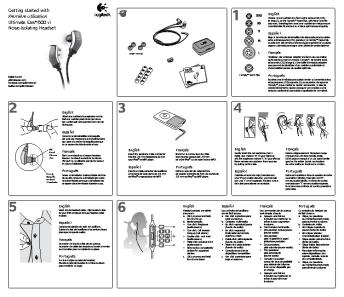
Getting started with Première utilisation Ultimate Ears® 200 Noise-Isolating Earphones www.facebook.com/ultimateears www.twitter.com/ultimateears with Getting started on Première utilisati 200 Ultimate Ears g Earphones Noise-Isolatin y rrant ation orm , and wa inf ance rtant Impo , compli ty Safe d by Tune ate Ultim Ears English Choose an ear cushion size, extra, extra small (XXS) to large (L), which best fits your ears. Selecting the correct ear cushion size helps ensure a comfortable...

Declaration of Conformity - Logitech
05/12/2014 - www.logitech.com
Declaration of Conformity 10/22/2004 Logitech, Inc. 1499 SE Tech Center Drive, Suite 350 Vancouver, Washington 98683 Phone: (360) 896-2000 Fax: (360) 896-2020 We declare under our sole responsibility that the following products are in conformity with: FCC Part 15, Subpart B, Section 15.107(a) and Section 15.109(a), Class B Digital Device. MODEL NAME: F-0228A Mobile Freedom Headset This device complies with Part 15 of the FCC rules. Operation is subject to the following two conditions: This device...

Zone Wireless Datasheet
12/09/2024 - www.logitech.com
FICHE TECHNIQUE CASQUES ZONE WIRELESS Si les espaces de travail ouverts se pr?tent ? la collaboration, ils peuvent ?galement ?tre tr?s bruyants. Prenez le contr?le de votre environnement sonore gr?ce au casque sans fil Logitech? Zone Wireless, con?u sp?cialement pour vous aider ? vous concentrer et am?liorer la productivit? dans des espaces de travail bruyants. Les casques Logitech Zone Wireless et Zone Wireless Plus vous aident ? d?finir le paysage sonore de votre espace de travail pour mener...

Comparison Matrix H Series Headsets
25/09/2024 - www.logitech.com
COMPARISON MATRIX PERSONAL COLLABORATION Logitech? headsets are always ready for your next business call. Compatible with all leading unified communications platforms, the Logitech H-Series headsets offer life-like sound in a simple, easy-to-use design. LOGITECH H-SERIES BUSINESS HEADSETS Business users who take calls from their computers in open workspaces, offices, or home offices will appreciate the comfortable design of the classic H650e and H570e headsets. With intuitive in-line controls and...

Getting started with
16/02/2012 - www.logitech.com
1 Getting started with On Logitech® Wireless Gamepad F710 1 2 11 9 10 2 8 3 5 Getting started with Logitech® Wireless Gamepad F710 n matio infor rtant Impo 3 7 4 6 nty , and warra pliance , com Safety


mettez du cœur à l'entraînement - TomTom
16/05/2016 - www.tomtom.com
METTEZ DU CRUR À L'ENTRAÎNEMENT COUREZ PLUS VITE EN 12 SEMAINES Vos zones de fréquence cardiaque 2 6070 % 1 FACILE 3 JOUR 1 PERDEZ DU POIDS FITNESS 4 VITESSE SPRINT 5 AMÉLIOREZ VOTRE FORME GÉNÉRALE CARDIO OPTIMISEZ VOS PERFORMANCES SEMAINE 1 5060 % 7080 % 90100 % 20 5

VIGTIGE SIKKERHEDSVEJLEDNINGER ADVARSEL: FARE:
20/03/2015 - docs.whirlpool.eu
VIGTIGE SIKKERHEDSVEJLEDNINGER DIN SIKKERHED OG ANDRES ER DET VIGTIGSTE Denne vejledning og apparatet selv indeholder vigtige sikkerhedsadvarsler, som skal læses og overholdes på alle tidspunkter. Dette er opmærksomheds-symbolet, hvad angår sikkerhed, som advarer brugere om potentielle risici for dem selv og andre. Alle sikkerhedsadvarsler indledes med opmærksomheds-symbolet og de følgende udtryk: FARE: Angiver en farlig situation, som, hvis den ikke undgås, vil forårsage alvorlig kvæstelse. ADVARSEL: Angiver...

English - LG Electronics
24/11/2014 - www.lg.com
DISHWASHERS LDF6920 DISHWASHERS LDF6920 Performance " LoDecibel!" Quiet Operation " Slim Direct Drive Motor!" " SenseClean!" Wash System " 5 Wash Cycles with 3 Spray Arms " Sanitary Rinse " Multi-Level Water Direction " Detergent and Rinse Aid Dispenser " Hybrid Condensing Drying System " Water Heater " Disposer/Self Cleaning Filter " Delay Start up to 12 hours Style and Design " Fully Integrated Design, Electronic Control Panel with Hidden Controls " Premium Colour Palette of Stainless...

LFX25978 - LG Electronics
24/11/2014 - www.lg.com
R E F R I G E RATO RS LFX25978 FRENCH DOOR LFX25978 25 Cu.Ft. Largest Capacity 3 Door Refrigerator Style and Design " French Door Refrigerator with Slim SpacePlus!" Ice System and Bottom Freezer " Premium Stainless Steel Finish with Metal Handles " White LED Display " Premium LED Interior Light Organization " 3 Slide-Out, Spill-Protector Tempered Glass Shelves/1 Folding Shelf " Slim SpacePlus!" Ice System " Full Width, Temperature-Controlled Glide N  Serve !" Drawer " 2 Humidity Crispers/1...

Time Capsule Setup Guide - Support - Apple
27/11/2014 - manuals.info.apple.com
Time Capsule Setup Guide Contents 5 7 8 9 11 Chapter 1: Getting Started About Your Time Capsule About the AirPort Software What You Need to Get Started The Time Capsule Status Light 13 14 17 19 19 21 22 23 Chapter 2: Setting Up Your Time Capsule Using Your Time Capsule to Create Your Wireless Network Using AirPort Utility Creating a New Wireless Network Configuring and Sharing Internet Access Setting Advanced Options Allowing Wireless Clients to Access Your Network Without Entering a Password Using...

Español - Support - Apple
27/11/2014 - manuals.info.apple.com
Pila l Españo AppleCare Instrucciones para la sustitución Sigue atentamente las instrucciones de este documento, de lo contrario podrías dañar tu equipo e invalidar la garantía. Nota: Encontrarás instrucciones en línea en http://www.apple.com/support/doityourself/. Aviso : A lo largo de este proceso, mantén las piezas pequeñas fuera del alcance de los niños. Aviso : El interior del ordenador presenta bordes afilados. Actúa con precaución cuando lleves a cabo este procedimiento. Herramientas...