Personal Productivity Solutions For Education Workspaces

Extrait du fichier (au format texte) :

Personal productivity solutions for education workspaces
Practical tools to enhance teaching and learning environments

LOGI DOCK FLEX
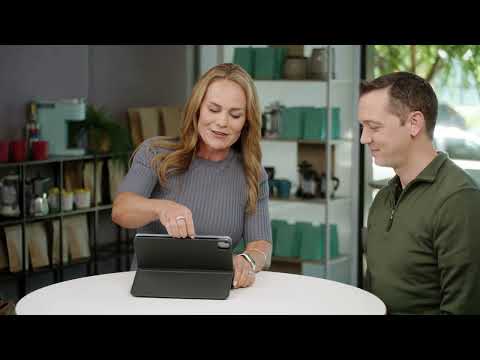
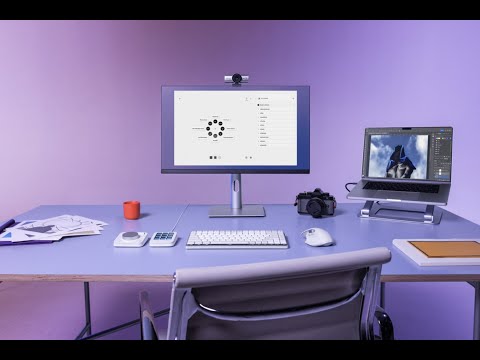
Logi Dock Flex is a shared docking station that simplifies device connectivity, powers workspaces, and fosters collaboration in classrooms, offices, and shared environments.

MK625 SIGNATURE SLIM COMBO
The MK Signature Slim Combo offers precision,
comfort, and quiet operation for faculty offices,
student workstations, and shared spaces, enabling distraction-free productivity for teaching, learning,
and administrative tasks.

Today's educators and students operate in a variety of settings, from offices and classrooms to media labs and study areas, often balancing in-person and remote needs. Providing them with intuitive, dependable tools ensures smoother workflows, enhanced collaboration,
and improved focus. By equipping educators with resources to teach effectively and giving students tools to learn and engage, institutions can create environments that drive success for all.

BRIO 505
A dependable 1080p webcam delivering sharp video quality for educators,
students, and staff. Ideal for engaging lessons, effective meetings, and seamless communication in any educational setting.

ZONE 305
A lightweight, comfortable headset designed for faculty and staff, Zone 305 delivers clear audio and reliable long-range connectivity for uninterrupted calls and video meetings, onsite or remote.

Well-designed workspaces are essential for effective teaching, learning, and collaboration. Tools that streamline workflows and foster focus empower educators and students to succeed, whether working at personal desks or shared spaces. By investing in versatile,
user-friendly solutions, institutions create spaces where faculty can inspire and students can thrive, building a stronger foundation for education.


Les promotions


Setup Guide Logitech?HD Pro Webcam C920
05/12/2014 - www.logitech.com
Setup Guide Logitech® HD Pro Webcam C920 Logitech® HD Pro Webcam C920 Contents English 3 Español 13 Français 23 Português 33 www.logitech.com/support 43 2   Logitech® HD Pro Webcam C920 1 Features 1. Carl Zeiss® autofocus HD 1080p lens 2. Microphone 2 3. Activity light 3 4. Flexible clip/base 5. Tripod attachment 6. Product documentation 4 5 Setup Guide Logitech® HD Pro Webcam C920 6  English  3 Getting started with Thank you for buying your C920!

smartdock - Logitech
03/04/2017 - www.logitech.com
SMARTDOCK Setup Guide  |  Guide d installation 3 ENGLISH 6 FRANÇAIS 9 ESPAÑOL 12 PORTUGUÊS 2 Disassemble SmartDock 1 2 3 x2 x5 Plug in and install Surface 4 3  English Reassemble SmartDock 5 6 7 x5 Remove base x2 8 x4 4  English Plug cables into SmartDock 9

circle - Logitech
circle - Logitech
28/07/2016 - www.logitech.com
CIRCLE Setup Guide Guide d installation Guía de configuración EN  Welcome Home From kids, to pets, to intruders, never miss a thing with Circle home security camera. Circle is easy to set up so grab your smartphone or tablet and let s get started. FR  Bienvenue chez vous Qu il s agisse de vos enfants, de vos animaux ou d intrus, ne manquez pas un seul événement grâce à la caméra de surveillance connectée Circle. Circle est simple à configurer: saisissez votre smartphone...

Wireless Guitar
Wireless Guitar
16/02/2012 - www.logitech.com
Quick-start guide AA 1 2 Quick-start guide Wireless Guitar Controller Logitech® Wireless Guitar Controller Logitech® 3 4 5 ? English Troubleshooting -- Guitar controller not working 1. You may be out of range with the receiver. Stand within 10 meters of the receiver and do not place metal objects in front of it. 2. Make sure the guitar controller is turned on. Press the PS button (setup step 4) for one second. 3. Check receiver connection with game console (setup step 3), and make sure...

620-002647 Ellsworth AMR
16/02/2012 - www.logitech.com
COLOR SPECIFICATIONS BRAND / LAUNCH: Logitech 2010 PROJECT TITLE: Ellsworth SPOT COLORS DIE LINE COLOR (NO PRINT) DIE LINES DETAILS: AMR/ GSW Guide PROCESS COLORS K 5 25 50 75 95 DIELINE NAME: n/a DIELINE RECEIVED: n/a SPECIFICATIONS / NOTES: Final files for print Job is grey scale THIS PRINT SIZE / SCALE: 100% of original Designer: Emma Ghiselli Location: Fremont, CA, USA MODIFICATION DATE: February 5, 2010 Getting started with Première utilisation Logitech® Wireless Speaker...

Solutions For Remote And Hybrid Learning Environments
09/05/2025 - www.logitech.com
Solutions for Remote and Hybrid Learning Environments Flexible tools for anytime, anywhere learning Collaborate and communicate easier with ready-to-go solutions that aid productivity and give every participant an immersive, front-row seat, no matter where learning takes place. CONNECT AND COLLABORATE WITH ENGAGING TOOLS With the fundamental room setup in place, it's time to equip instructors with unique solutions that provide a more natural and immersive experience to keep everyone engaged. BRIO...

2 1 On
2 1 On
16/02/2012 - www.logitech.com
COLOR SPECIFICATIONS BRAND / LAUNCH: Logitech 2010 PROJECT TITLE: Blazer SPOT COLORS DIE LINE COLOR (NO PRINT) DETAILS: AMR/ GSW Guide 3x3  panel PROCESS COLORS DIE LINES K 5 25 50 75 95 DIELINE NAME: n/a DIELINE RECEIVED: n/a SPECIFICATIONS / NOTES: Final files.004 Job is one-color THIS PRINT SIZE / SCALE: 100% of original Designer: Emma Ghiselli Location: Fremont, CA, USA MODIFICATION DATE: July 12, 2010 1 Getting started with Première utilisation Français

Screen Share Datasheet
28/03/2025 - www.logitech.com
SIMPLE CONTENT SHARING FOR EVERY ROOM. Logitech Screen Share Logitech? Screen Share adds easy, wired content sharing to any dedicated conference room computer. Simply connect a laptop or tablet via HDMI to start sharing: there's no need to install software, enter a passcode, or even connect to the Internet. In-room participants can easily take turns plugging in their devices to stream content without any interruptions. Powered by an HDMI capture device and companion application for the conference...


Fiche produit Sony : 11/1237382086311.pdf
16/02/2012 - www.sony.fr
Communiqué de presse Paris, Mardi 03 mars 2009 Une qualité d'image extraordinaire associée à un grand angle avec zoom puissant Capteur CMOS « Exmor » de 9,1 millions de pixels effectifs Objectif Sony G grand angle 28 mm et zoom optique 20x (28 ­ 560 mm) Stabilisateur optique SteadyShot et Haute Sensibilité ISO 3200 Mode Rafale jusqu'à 10 images par seconde en pleine résolution avec obturateur mécanique · Mode vidéo Haute Définition 1080p · Mode Panorama · Écran LCD 3,0 pouces...

幻灯片 1 - Brother
幻灯片 1 - Brother
04/01/2018 - www.brother.fr
DCP-L5500DN Brother Imprimante Multifonction 3-en-1 Laser Monochrome Impression Numérisation Copie 1 Général Pilote d impression Technologie Classification Laser Processeur Mémoire Interface Interface Réseau Affichage Laser Électro-photographique Classe produit 1 (IEC 60825-1:2007) Cortex-A9 800MHz 256 Mo Hi-Speed USB 2.0 10Base-T/100Base-TX LCD couleur tactile de 9,3 cm Impression monochrome Vitesse d impression (A4) Vitesse d impression (A4) Recto-verso Resolution Mode silence Recto-verso Temps...

Chers parents, Chez VTech®, nous sommes conscients que les ...
03/04/2012 - www.vtech-jouets.com
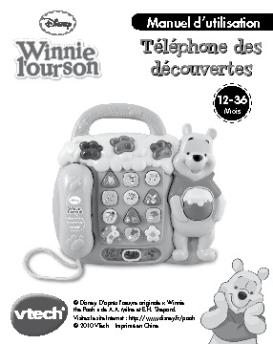
Chers parents, Chez VTech®, nous sommes conscients que les enfants sont notre avenir. C'est pourquoi tous nos jeux sont conçus de manière à inciter Bébé à découvrir le monde qui l'entoure. Toute la technologie et le sens de la pédagogie VTech® sont mis au service du développement de l'enfant : la découverte de son corps, sa relation au monde, le plaisir d'apprendre en jouant. Chez VTech®, nous nous engageons à tout faire pour que les enfants grandissent dans les meilleures conditions...

MicroMove MicroMove - Memorex CE
06/09/2016 - memorexsupport.com
MicroMove CAUTION CAUTION: TO REDUCE THE RISK OF ELECTRIC SHOCK, DO NOT REMOVE COVER (OR BACK). NO USER-SERVICEABLE PARTS INSIDE. REFER SERVICING TO QUALIFIED SERVICE PERSONNEL. DANGEROUS VOLTAGE: The lightning ûash with arrowhead symbol within an equilateral triangle is intended to alert the user to the presence of uninsulated dangerous voltage within the product s enclosure that may be of sufficient magnitude to constitute a risk of electric shock to persons. ATTENTION: The exclamation point...

CM mac INDU fra
CM mac INDU fra
16/04/2012 - tools.professional.electrolux.com
Certifications ZANUSSI: Qualité: Nos usines de production et l'ensemble du processus de fabrication, de la conception à l'expédition y compris le service après-vente, ont obtenu le label de qualité ISO 900 I. Une reconnaissance internationale prestigieuse qui vous garantit le respect des normes de qualité et de fiabilité les plus strictes. Nos produits ont également obtenu l'approbation des Organismes Normatifs du monde entier, Normes CE, VDE et DVGB. Choisir ZANUSSI est une garantie supplémentaire...

(ARCHOS Comptes annuels consolidés 31 décembre 2005)
16/03/2012 - www.archos.com
COMPTES CONSOLIDES ET ANNEXES 31 DECEMBRE 2005 1 COMPTES CONSOLIDES Bilans IFRS au 31 décembre 2005 et au 31 décembre 2004 En milliers d'euros ACTIF Notes 31 décembre 2005 IFRS (5) (6) (7) (8) (12) 2 644 202 920 150 8 315 12 231 (9) (10) (11) (14) 31 333 13 011 16 811 9 078 70 233 82 464 Notes 31 décembre 2005 IFRS (13) 3 379 14 362 606 18 347 0 18 347 (14) (15) (16) 3 760 112 1 674 0 5 546 (14) (17) 2 938 40 779 14 854 58 571 82 464 31 décembre 2004 IFRS 2 148 352 709 103 8 849 12 161 14...