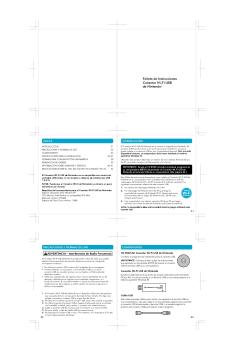
Privacy Information Wireless Communication ... - Nintendo

Extrait du fichier (au format texte) :

NEED HELP WITH INSTALLATION,
MAINTENANCE OR SERVICE?
NINTENDO CUSTOMER SERVICE: WWW.NINTENDO.COM
or call 1-800-255-3700, MON.-SUN., 6:00 a.m. to 7:00 p.m,
Pacific Time (Times subject to change)
TTY Hearing Impaired: 800-422-4281
BESOIN D'AIDE AVEC L'INSTALLATION,
L'ENTRETIEN OU LE SERVICE ?
SERVICE À LA CLIENTÈLE DE NINTENDO: www.nintendo.ca
Ou appelez le 1-800-255-3700 LUN.-DIM., entre 6 h 00 et 19 h 00 ,
heure du Pacifique. (Heures sujettes à changement)
Service à la clientèle ATS : 1-800-422-4281
¿NECESITA AYUDA CON LA INSTALACIÓN
MANTENIMIENTO O SERVICIO?
SERVICIO AL CLIENTE DE NINTENDO: WWW.NINTENDO.COM
o llame al 1-800-255-3700 LUN. - DOM., 6:00 a.m. a 7:00 p.m.
Tiempo del Pacífico (Las horas pueden cambiar)
Número de TTY de Servicio al Cliente para individuos con impedimento auditivo: 1-800-422-4281

I nstruction Booklet
M d'em ode ploi
FolletoDe I nstrucciones

Nintendo of America Inc.
P.O. Box 957, Redmond, WA 98073-0957 U.S.A.
57357A

PRINTED IN USA

IMPRIMÉ AUX E.-U.

IMPRESO EN LOS EE.UU.

Privacy Information
PictoChat is not an internet application. However, when using
PictoChat, you can communicate with up to 15 other Nintendo DS
users within range of your DS (approximately 65 feet). Such users will be able to see your nickname and messages. To protect your privacy, do not give out personal information such as last name,
phone number, age, e-mail or home address when communicating with others.
An adult should assist children with system setup (page 10, DS
Instruction booklet) and instruct them not to use personal information. Children should be warned about communicating with or meeting strangers.
During system setup, whatever date you choose to enter as your month/day of birth (year is not asked for), an "It's your birthday"


Les promotions


Informations sur la santé et sécurité et consignes d'utilisation - Nintendo
12/10/2017 - www.nintendo.com
Informations sur la santé et la sécurité Informations importantes sur la sécurité  Veuillez lire les avertissements suivants avant de configurer ou d utiliser votre console Nintendo 3DS. Si ce produit est destiné à de jeunes enfants, ce manuel devrait leur être lu et expliqué par un adulte. Le non-respect de ces consignes peut entraîner des blessures. Vous trouverez dans ce manuel le symbole suivi des mots « AVERTISSEMENT » ou « ATTENTION ». Vous pourrez aussi trouver le mot «...

Donkey Kong Country™: Tropical Freeze - Nintendo
12/10/2017 - www.nintendo.com
Donkey Kong Country!": Tropical Freeze 1 Informations importantes Pour commencer 2 Manettes et son 3 Fonctions en ligne 4 Avis aux parents et tuteurs Informations de base 5 Présentation du jeu 6 Pour commencer 7 Données de sauvegarde Comment jouer 8 Cartes du jeu 9 Déroulement de la partie 10 Mode 1 joueur 11 Mode 2 joueurs

Electronicmanual Nintendo3ds Supermario3dland Fr
15/08/2025 - www.nintendo.com
1 Sant? et s?curit? Introduction 2 Pr?sentation du jeu 3 Commencer ? jouer 4 Sauvegarder une partie Comment jouer 5 Choisir un stage 6 ?cran en cours de stage 7 Parcourir un stage 8 Diriger Mario 9 Transformations 10 Objets Communication sans fil 11 StreetPass Informations de contact 12 Nous contacter 1 Sant? et s?curit? Merci d'avoir choisi SUPER MARIO 3D LAND!" pour

Stretchmo 1 Informations importantes 2 Partage d ... - Nintendo
17/10/2016 - www.nintendo.com
Stretchmo 1 Informations importantes 2 Partage d'informations 3 Fonctions en ligne 4 Avis aux parents et tuteurs Pour commencer 5 Introduction 6 Commencer à jouer 7 Sauvegarder/Effacer Comment jouer 8 Commandes 9 Parc Stretchmo 10 Atelier Stretchmo Fonctions en ligne 11 Billet en vente 12

Operation of the WaveBird Controller - Nintendo
02/12/2014 - www.nintendo.com
Operation of the WaveBird Controller Nintendo GameCube!" WaveBird!" Wireless Controller Installing Batteries WARNING PLEASE CAREFULLY READ THE HEALTH AND SAFETY PRECAUTIONS BOOKLET INCLUDED WITH THE NINTENDO GAMECUBE SYSTEM OR GAMES BEFORE USING THIS ACCESSORY. THIS BOOKLET CONTAINS IMPORTANT HEALTH AND SAFETY INFORMATION. Please read the Nintendo GameCube instruction booklet before using this accessory. The Nintendo GameCube WaveBird Wireless Controller allows you to play games on your Nintendo...

The Legend of Zelda: Twilight Princess HD - Nintendo
08/03/2018 - www.nintendo.com
1 Informations importantes Pour commencer 2 Manettes compatibles 3 Fonctions en ligne 4 Avis aux parents et tuteurs Introduction 5 À propos du jeu 6 Début de l'aventure 7 Sauvegarder et effacer des données Écrans de jeu 8 Écran principal 9 Écran d'inventaire 10 Écran de carte 11 Écran de quête

Mode d'emploi de la Wii - Nintendo
04/04/2017 - www.nintendo.com
Mode d emploi de la Wii Chaînes et paramètres 78 Wii Operations Manual 148Hx210W Afin de protéger votre santé et sécurité et pour une bonne utilisation de votre appareil Wii, veuillez consulter et suivre les instructions du mode d emploi de la Wii - Installation de l appareil. Table des mat i ères Menu Wii 82  83 Chaînes Chaîne de disque 84  85 Chaîne Mii 86  93 Chaîne photos Chaîne Boutique Wii 94  103 104  105 Console Virtuelle 106  107 WiiWare 108  109 Bureau...

The Legend of Zelda: The Wind Waker HD - Nintendo
24/07/2018 - www.nintendo.com
1 Informations importantes Paramètres 2 Manettes et accessoires 3 Fonctions en ligne 4 Avis aux parents et tuteurs Présentation du jeu 5 À propos du jeu 6 Avant de jouer 7 Sauvegarder et effacer Écrans de jeu 8 Écran principal 9 Écran d'inventaire 10 Écran cartes Déroulement de l'aventure 11


Fiche produit Sony : 58/1219306070658.pdf
16/02/2012 - www.sony.fr
(Project No.) (Date) (Project Name) (Project Location) ARCHITECT & ENGINEER SPECIFICATIONS SECTION 28 23 29 VIDEO SURVEILLANCE REMOTE DEVICES AND SENSORS SNC-CS20 Day/Night, Fixed-Type, CS mount Network Color Camera PART 2  PRODUCTS 2.01 NETWORK CAMERA SPECIFICATIONS A. GENERAL REQUIREMENTS: 1. The SNC-CS20 shall be a CS mount, network enabled, JPEG and MPEG-4 dual-stream, day/night, fixed-type color camera, utilizing a 1/4-type, 659 x 494 pixels, Progressive Scan CCD with ExwavePRO!" technology,...

Image DP 700 06 08e
Image DP 700 06 08e
22/06/2024 - www.accuphase.com
Full review in image hifi magazine (Germany), issue 6/2008 Accuphase Super Audio CD Player DP-700 by Heinz Gelking The CD tray of the Accuphase DP-700 is gliding out with distinctive noiselessness and politely asking you for music - no one does behave better! Hats off to this classy entry of the Accuphase DP-700, but then let's first have a look at the spot where this luxury player could be vulnerable: in the year 2008, could anyone still be interested in disk players with a four- to five-digit...

Rugged Combo 3 Touch Classroom Best Practices
25/09/2024 - www.logitech.com
RUGGED COMBO 3 TOUCH CLASSROOM BEST PRACTICES Get the most out of your Rugged Combo 3 with these tips: DO " Take similar care of iPad as you would with a laptop " Close the case with the magnetic latch in place when not in use DON'T " Intentionally damage the case " Place objects between the iPad and keyboard when closing the case as it can damage the screen and/or keyboard TROUBLESHOOTING If the Rugged Combo 3 Touch keyboard is not typing when connected to the Smart Connector, try these solutions: ...

mini drive Datasheet - LaCie
17/04/2020 - www.lacie.com
F I R E W I R E C O M PA N I O N HARD DRIVE 80 Go = 20 000 uchiers MP3 :: 80 000 photos :: 5 heures de DV :: 16 heures de DVD :: 80 heures de DivX DEVELOPPEZ VOTRE VIE NUMERIQUE RENDEZ VOTRE MINI ENCORE PLUS COOL Vous possedez un ordinateur (un Apple® Mac mini, par exemple) et appreciez sa simplicite d'utilisation, son style et ses performances pour la gestion de votre vie numerique. Il est maintenant temps de developper votre vie numerique en stockant davantage de photos, de videos, de musique...

LogitechHD 200 Powerline Adapter
05/12/2014 - www.logitech.com
Getting Started Guide Welcome. Thank you for purchasing Logitech HD 200 Powerline Adapter. Logitech HD 200 Powerline Adapter The 200 Powerline Adapter is used to connect additional devices to your existing Powerline network (e.g. laptop, gaming console, etc.). No new wires to run, no networking hassles. Power-strip Warning! System Requirements & Support Guide Logitech HD Powerline 200a ing Starter Kit Quick-start guide Network Logitech HD Powerline 200 Networking Adapter Do NOT plug the...

Fiche produit Sony : 81/1187079503881.pdf
16/02/2012 - www.sony.fr
SERIES SNC-DF Caméras réseau Mini-dôme SNC-DF80P SNC-DF50P www.sonybiz.net/nvm Series SNC-DF Caméras réseau Mini-dôme Capables de reproduire des images extrêmement nettes et détaillées, les caméras intelligentes Mini-dôme de Sony offrent un haut niveau de sécurité en toutes circonstances. G râce à de récentes améliorations, Sony confère encore plus de puissance à sa gamme de caméras réseau Mini-dôme, qui comprend la SNC-DF80P et la SNC-DF50P, toutes deux intégrant une...