SB512 1 2011US Seagate Genetec Solutions Brief Final

Extrait du fichier (au format texte) :

Solution Brief
VIDEO MANAGEMENT SYSTEM (VMS)

Building an Efficient and
Cost-Effective Video
Management Solution
Seagate® delivers unified video management with Genetec!" Security Center

Solution Summary
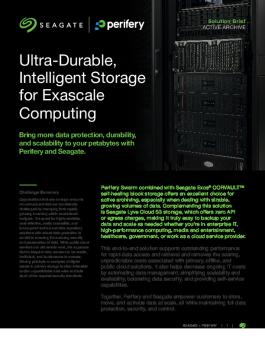
The Genetec!" unified security platform combined with Seagate enterprise storage system's Exos® X delivers a centralized storage solution that supports multiple concurrent video streaming with the highest data protection for your surveillance deployment.

Benefits Summary
" Optimized streaming by delivering high bandwidth in saving video recordings with higher frame rates without losing a single frame
" ADAPT data protection
" First to market with the highest capacity for the increasing demand of surveillance storage, and provides longer retention periods for both video and static images without data loss
" Encryption to keep your data safe even if your drives are lost, stolen,
or misplaced
" Deliver high bandwidth to allow more video recording devices with higher frame rate
" Enable longer retention period of both video and static images without data loss
" Allow centralized VMS management to store and manage the recorded videos from a distributed implementation
" Genetec!" Security Center offers unified video management, access control, ALPR, intrusion, and communications in a single user interface. It allows you to centralize your operations and make sense out of your security data.

Terabytes of data can easily be generated from high demand VMS applications; in return,
users need a scalable, centralized shared storage solution like a SAN (Storage Area
Network) for their VMS rather than an all-inone solution that has limitations, such as an
NVR or VMS appliance.
Video Management System (VMS) is an integral part of the entire organization's security deployment plan.
The VMS acts as a point of aggregation for all of the sensors and IP cameras on premise or location.
Video surveillance in today's world has gone beyond security, requiring that the VMS be responsible for many roles such as helping to generate more ROI for the organization investing in such a solution.
Video recordings no longer sit idle waiting for event


Les promotions


Exos Corvault Autoconfigwithquantastor V2
13/08/2024 - www.seagate.com
Auto-Configuration with QuantaStor Self-Healing, High-Density Data Storage As hard drives expand with HAMR technology to 30TB, 50TB, and beyond, they create new challenges for storage systems due to longer rebuild times with increased capacity. To address these challenges, Seagate developed Exos® CORVAULT!" to enable the recovery of a system to full health after a drive failure within minutes or hours, unlike traditional RAID which takes days. Seagate also continues developing new technologies...

100417177c
100417177c
29/09/2024 - www.seagate.com
Product Manual Barracuda 7200.9 Serial ATA ? ST3160811AS ST3160211AS ST3120811AS ST3120211AS ST380811AS ST380211AS ST340211AS 100417177 Rev. C August 2007 ?2006-2007, Seagate Technology LLC All rights reserved. Publication number: 100417177, Rev. C August 2007 Seagate, Seagate Technology and the Wave logo are registered trademarks of Seagate Technology LLC in the United States and/or other countries. Barracuda, SeaTools and SeaTDD are either trademarks or registered trademarks of Seagate Technology...

Fiche technique
Fiche technique
23/08/2019 - www.seagate.com
DISQUE PORTABLE Fiche technique Disque SSD elegant hautes performances destine aux techniciens en deplacement Capacite pouvant atteindre 1 To Conception elegante et ultramoderne Leger et resistant aux chocs, a emporter partout avec vous Technologie USB-C innovante Vitesse de transfert pouvant atteindre 540/500 Mo/s Logiciel de synchronisation des dossiers pour une actualisation permanente des fichiers importants Le disque Seagate Fast SSD est ideal pour le stockage mobile personnel. Leger et elegant,...

Seagate Lyve Mobile Mount Quick Start Guide EN US 200639700C
03/11/2025 - www.seagate.com
200639700C_Lyve Mobile Mount_wo_Adapter_90mmX130mm_EN_QSG Part Number: 200639700C Folded Size: 90 mm W x 130 mm H Trim Size: mm 360 mm W X 130 mm H Colors: K/K K Lyve Mobile Mount without PCIe Adapter QSG (SERPAH) Lyve!" Mobile Security Lyve Mobile offers two ways for project admins to manage how end users securely access Lyve Mobile storage devices: Lyve Portal Identity Mounting slots 1 Release handle Before installing Lyve Mobile Array, ensure that Lyve Mobile Mount is securely fixed to...

User Guide For Using Lyve Data Transfer As A Service With Amazon S3 Draft 8 25 22
14/08/2024 - www.seagate.com
Data-Transfer-as-a-Service INTEGRATION WITH AMAZON S3 SEAGATE TECHNOLOGY Seagate Internal What is Data-Transfer-as-a-Service with cloud import? Lyve!" Mobile from Seagate® is a high-capacity edge storage solution that enables businesses to aggregate, store, and move their data. Scalable and modular this integrated solution eliminates network dependencies so you can transfer mass data sets in a fast, secure, and efficient manner. Seagate also provides import services from the Lyve Mobile solution...

Fiche technique - Seagate
16/03/2018 - www.seagate.com
Fiche technique La nouvelle génération de disques SV Le premier disque dur optimisé pour la surveillance du secteur avec une précision adaptée aux cycles d'écriture intensifs et continus liés à la vidéosurveillance 24 h/24 et 7 j/7. Des capacités de stockage pouvant atteindre 8 To permettant de prendre en charge 64 caméras par disque et au moins 81 disques par système. Conçu pour fonctionner avec une charge de travail annuelle de 180 To, soit trois fois celle d'un disque de bureau Consommation...

Lyve Drive Mobile Array Ds2044 8 2311us Ww Fr Fr
03/11/2025 - www.seagate.com
Fiche technique Transfert des donn?es simplifi? pour tous les flux de travail Seagate? Lyve!" Mobile Array est une solution portable de stockage de donn?es qui peut ?tre mont?e en rack. Rapide et s?curis?e, elle permet de stocker les donn?es ? la p?riph?rie ou d'effectuer des transferts au sein de votre entreprise. Les versions 100 % Flash et disques durs offrent toutes deux une compatibilit? universelle, une connectivit? polyvalente, un chiffrement s?curis? et un transport des donn?es r?sistant....

Bup Slim AmerDS1803 7 1705 AMER En US
12/08/2024 - www.seagate.com
PORTABLE DRIVE Data Sheet Easy automatic backup for your digital life on your computer, mobile devices and the cloud The Seagate® Backup Plus Slim portable drive simplifies backup for consumers who want to help protect their entire digital life locally, in the cloud, or from their mobile devices and social networks. The slim, metal design provides premium portability allowing you to slide the drive into your pocket, purse or backpack and carry it with you. High-speed USB 3.0 and 2.0 connectivity...


LED TV 16/9 - the TCL-THOMSON Media center
06/06/2016 - www.thomsontv.fr
LED TV 16/9 32HZ3223 Spécifications du 32HZ3223 Résolution : 1366 X 768 Luminosité : 200 cd/m2 Contraste dynamique : Mega Contrast Son : Stéréo 2 x 5 W Prêt pour la télévision numérique haute définition (Canal Ready *: Port CI+ compatible avec le mini-décodeur (ou module) CANAL READY permettant de recevoir les chaînes payantes du groupe CANAL+ via la TNT Connectique numérique : 2 HDMI - HDCP - 1 CMP Port USB Multimédia (vidéo haute définition, photo, musique) : 1 Péritel : 1 *...

Ethernet Disk mini - LaCie
11/04/2018 - www.lacie.com
Ethernet Disk mini v. 2.0 LaCie Ethernet Disk mini Manuel d utilisation Table des matières page 2 Table des matières Avant-propos Précautions d emploi 1. Introduction 1.1. Possibilités du disque LaCie Ethernet Disk mini 2. Votre disque LaCie Ethernet Disk mini 2.1. Conûguration minimum 2.1.1. Connectivité Ethernet 2.1.2. Connectivité USB 2.2. Contenu du coffret 2.3. Vues du disque 2.3.1. Vue avant 2.3.2. Vue arrière 2.4. Câbles et connecteurs 2.4.1. Hi-Speed USB 2.0 2.4.2. Ethernet 3....

Zone 305 Datasheet
Zone 305 Datasheet
12/09/2024 - www.logitech.com
Fiche technique Zone 305 Certifi? pour les principales applications professionnelles et plateformes d'appel, le Zone 305 est id?al pour le d?ploiement de masse. Ce casque sans fil ultral?ger offre un son exceptionnel et des connexions fiables pour des appels clairs et ininterrompus. "C  ertifi? pour les entreprises : Le Zone 305 est en cours de certification pour Microsoft Teams via Bluetooth1 natif sans dongle. Il est ?galement certifi? pour Microsoft Teams, Zoom, Google Meet et Google Voice...

navigon plus 70 | premium 70 | premium 70 live
30/08/2018 - www.navigon.com
NAVIGON 70 Plus NAVIGON 70 Premium NAVIGON 70 Premium Live Manuel utilisateur Français Août 2010 Le symbole représentant une poubelle barrée sur roues signifie que dans l'Union européenne, le produit doit faire l'objet d'une collecte sélective en fin de vie. Cette mesure s'applique non seulement à votre appareil mais également à tout autre accessoire caractérisé par ce symbole. Ne jetez pas ces produits dans les ordures ménagères non sujettes au tri sélectif. Impressum NAVIGON...

H570e Datasheet
H570e Datasheet
25/09/2024 - www.logitech.com
DATA SHEET LOGITECH USB HEADSET H570e For people who make their living on the phone, a comfortable headset makes every call more productive. Logitech H570e Headset delivers comfort day after day. Acoustic echo cancellation and digital signal processing (DSP) block out unwanted noise for clear conversations. The lightweight design and durable materials mean you can wear the H570e all day. Leatherette ear pads, and padded headband with metal reinforcement provide strength and flexibility, with...

Thank you!
Thank you!
16/02/2012 - www.logitech.com
Thank you! Merci! ¡Gracias! English 1 Contents / Contenu / Esta caja contiene Troubleshooting / Dépannage / Resolución de problemas English 1. Make sure the speakers are plugged into an AC outlet and the power button is on. 2. Turn the speaker on by adjusting the power/volume control to the center position. - Click on sound icon in Windows Control Panel/Macintosh System Preferences. Set sound card as default audio device. - Adjust your audio source volume to 80% or more. 3. Try connecting...