Caractéristiques principales - Linksys

Extrait du fichier (au format texte) :

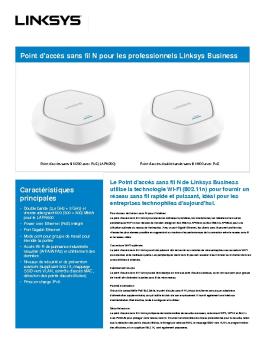
Point d'accès sans fil AC double bande pour les professionnels Linksys Business

Point d'accès double bande AC1200
(LAPAC1200)

Caractéristiques principales
" Prise en charge de la nouvelle génération de Wi-Fi 802.11ac avec double bande
(2,4 GHz et 5 GHz) et débit de données maximal pouvant atteindre 1 200 Mbit/s
(LAPAC1200) ou 1 750 Mbit/s
(LAPAC1750)
" Power over Ethernet
Plus (PoE+) intégré
" Ports à la vitesse Ethernet Gigabit
" Mode de pont de groupe de travail pour
étendre la portée
" Accès Wi-Fi de puissance industrielle sécurisé (WPA/WPA2) et chiffrement des données
" Niveaux de sécurité et de prévention avancés (demandeur 802.1X, mappage
SSID vers VLAN, contrôle d'accès MAC,
détection des points d'accès illicites)
" Prise en charge IPv6

Point d'accès double bande AC1750
(LAPAC1750)

Le point d'accès sans fil AC double bande pour les professionnels Linksys Business utilise la technologie Wi-Fi de nouvelle génération (802.11ac) afin que votre entreprise bénéficie au quotidien d'une vitesse et de capacités Wi-Fi jamais encore égalées.
Connectivité Wi-Fi de nouvelle génération
Le point d'accès sans fil AC double bande pour les professionnels Linksys Business prend en charge la dernière technologie 802.11ac, qui est trois fois plus performante que celle définie par la norme 802.11n.
Des améliorations, telles que des canaux plus larges de 80 MHz, offrent une plus grande bande passante pour les données tout en fonctionnant à 5 Ghz, la partie la moins utilisée de la bande. Grâce au degré de liberté supplémentaire apporté par cette connexion Wi-Fi, les clients sans fil bénéficient de vitesses plus rapides, tout en maximisant leur performance.
Déploiement souple
Le point d'accès sans fil AC double bande pour les professionnels Linksys Business peut être déployé en tant que point d'accès classique, ou en tant que pont pour groupe de travail afin d'étendre la portée sans fil de votre réseau.
Facilité d'utilisation
Grâce à la compatibilité PoE+ 802.3at, le point d'accès sans fil AC double bande pour les professionnels
Linksys Business fonctionne sans aucun adaptateur d'alimentation supplémentaire, ce qui facilite le choix de son emplacement. Il fournit également une interface d'administration Web intuitive, facile à configurer


Les promotions


Wireless-G - Linksys
24/02/2020 - downloads.linksys.com
2,4 GHz Wireless-G 802.11g Notebook Adapter WIRELESS Model No. WPC54G or WPC54GS (EU/LA) User Guide Wireless-G Notebook Adapter or Wirless-G Notebook Adapter with SpeedBooster Copyright and Trademarks Specifications are subject to change without notice. Linksys is a registered trademark or trademark of Cisco Systems, Inc. and/or its affiliates in the U.S. and certain other countries. Copyright © 2007 Cisco Systems, Inc. All rights reserved. Other brands and product names are trademarks or...

Enregistreur vidéo réseau à deux baies Linksys
02/07/2018 - downloads.linksys.com
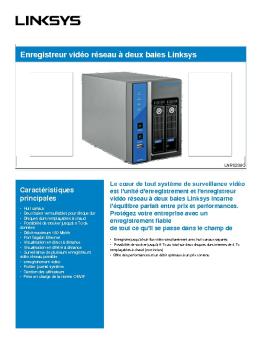
Enregistreur vidéo réseau à deux baies Linksys LNR0208C Caractéristiques principales " Huit canaux " Deux baies verrouillables pour disque dur " Disques durs remplaçables à chaud " Possibilité de stocker jusqu'à 8 To de données " Débit maximum 150 Mbit/s " Port Gigabit Ethernet " Visualisation en direct à distance " Visualisation en différé à distance " Surveillance de plusieurs enregistreurs vidéo réseau possible " enregistrement vidéo " Fichier journal système "...

Commutateurs non administrables Linksys
13/09/2017 - downloads.linksys.com
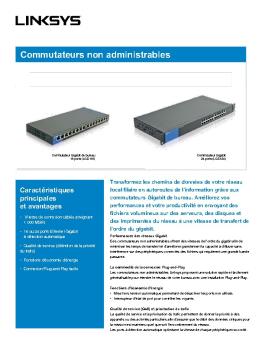
Commutateurs non administrables Linksys Commutateur de bureau Gigabit à 5 ports (LGS105) Caractéristiques principales et avantages " Vitesse de connexion filaire pouvant atteindre 1 000 Mbit/s " 5 ou 8 ports Gigabit Ethernet à détection automatique " Fonctions d'économie d'énergie " Connexion Plug and Play facile Commutateur de bureau Gigabit à 8 ports (LGS108) Transformez les chemins de données de votre réseau local filaire en autoroutes de l'information grâce aux commutateurs Gigabit...

Commutateurs Gigabit gérés PoE+ Linksys
13/09/2017 - downloads.linksys.com
Commutateurs Gigabit gérés PoE+ Linksys Commutateur Gigabit géré PoE+ 28 ports (LGS528P) Fonctionnalités clés " 28 ou 52 ports Ethernet Gigabit " Deux ports mixtes mini-GBIC (SFP) " Deux ports Ethernet 10-Gigabit SFP+ ascendants (LGS552P) " Power over Ethernet Plus (PoE+) intégré " Performances et fiabilité démontrées " Efficacité énergétique optimale " Sécurité avancée et QoS " Routage statique de couche 3 " Prise en charge IPv6 " Prise en charge de la téléphonie...

ALL_befdsr41w quick install guide.qxd - Linksys
16/02/2018 - downloads.linksys.com
Instant Broadband!" Series ADSL Gateway Modem / Router / 4-Port Switch / Wireless-Ready Use this guide to install: BEFDSR41W Fast Start Guide ADSL Gateway with Modem / Router / 4-Port Switch / Wireless-Ready EC DECLARATION OF CONFORMITY (EUROPE) Linksys Group declares that the Instant Wireless!" Series products included in the Instant Wireless!" Series conform to the specifications listed below, following the provisions of the EMC Directive 89/336/EEC and Low Voltage Directive 73/23/EEC: " ...

Commutateurs non administrables Linksys - Top Achat
13/09/2017 - downloads.linksys.com
Commutateurs non administrables Linksys Commutateur Gigabit PoE de bureau à 8 ports (LGS108P) Commutateur Gigabit PoE de bureau à 16 ports (LGS116P) Commutateur Gigabit PoE de bureau à 24 ports (LGS124P) Caractéristiques principales et avantages " Vitesse de connexion filaire pouvant atteindre 1 000 Mbit/s " 8, 16 ou 24 ports Ethernet Gigabit à détection automatique " Qualité de service (définition de la priorité du trafic) " Prise en charge de la technologie PoE (alimentation par...

PrintServer for USB - Linksys
13/09/2017 - downloads.linksys.com
® A Division of Cisco Systems, Inc. Package Contents " " " " " " One PrintServer for USB with 4-Port Switch One Power Supply One Setup CD with User Guide One Ethernet Network Cable One USB cable One Quick Installation PrintServer for USB with 4-Port Switch WIRED Model No. PSUS4-UK Quick Installation Guide 1 Connecting the PrintServer Before starting the physical installation, note the PrintServer s Default Name on the bottom of the PrintServer for future use. A B C D E F Plug...

Wireless-G 24,GHz - Linksys
16/02/2018 - downloads.linksys.com
® A Division of Cisco Systems, Inc. Package Contents " " " " " Wireless-G Broadband Router with SpeedBooster Setup CD-ROM with User Guide Power Adapter Ethernet Network Cable Quick Installation (not supplied with all models) 24 , GHz Wireless-G 802.11g Wireless Broadband Router with SpeedBooster Quick Installation Guide Model No. WRT54GS (EU/LA/UK) 1 There are two ways to configure the Router. Choose one of the following: " Run the Setup CD-ROM - It is strongly recommended that...


S-150 Digital USB Speakers
16/02/2012 - www.logitech.com
1 English Safety: 1) Unplug the speakers from the computer before cleaning them with a dry cloth. 2) For added protection during lightning storms, unplug the speakers from the USB port and turn off the computer. 3) Servicing is required when the apparatus has been damaged in any way, such as when the power cord or plug has been damaged, liquid has been spilled on the apparatus or objects have fallen into it, or the apparatus has been exposed to rain or moisture, does not operate normally, or has...

Une GEIDE Cloud 100% sécurisée Présentation ... - TA Triumph-Adler
18/01/2018 - www.triumph-adler.fr
TAF16/1116 21/11/2016 Objet :  Une GEIDE Cloud 100% sécurisée   Modèles compatibles : MFP HyPAS TA Triumph Adler Présentation / positionnement La Gestion Electronique de l Information et des Documents (GEIDE) permet de gérer les flux de documents qui entrent,  sortent ou circulent au sein de l entreprise. Elle s inscrit dans un processus métier de travail collaboratif, de capitalisation  et d échanges d informations, même sensibles. La sécurité des informations et documents stockés et archivés est donc cruciale.   Comment ? Conformité et normes : ð·...

Pocket Radio Radio de bolsillo
21/11/2016 - memorexsupport.com
Pocket Radio Sports Radio de bolsillo Sports Deportes User Guide Guía del usuario Please read these instructions completely before operating this product This device complies with part 15 of the FCC Rules. Operation is subject to the following two conditions: (1) This device may not cause harmful interference, and (2) this device must accept any interference received, including interference that may cause undesired operation. NOTE: This equipment has been tested and found to comply with...

rugged XL - LaCie
rugged XL - LaCie
11/04/2018 - www.lacie.com
rugged XL eSATA 3 Gbit/s USB 2.0 Design by NEIL POULTON +10GB ð‚ ON L I N E STORAGE 1 YEAR INCLUDED Disque dur à longue durée de vie. Stockage solide et créatif pour votre bureau. USB BOO ST Simple et efficace Conception et fonctionnement Le LaCie Rugged XL, Design by Neil Poulton offre une grande capacité de stockage tout en offrant une utilisation à la portée de tous. Particulièrement facile à installer, il bénéficie de la commodité du Plug & Play et son formatage peut...

Fiche produit Sony : 00/1150907438600.pdf
16/02/2012 - www.sony.fr
Computer Display Hotline numbers: Country Austria Belgium Denmark Finland France Germany Ireland Italy Luxembourg Netherlands Norway Portugal Spain Sweden Switzerland United Kingdom Country Code +43 +32 +45 +358 +33 +49 +353 +39 +352 +31 +47 +351 +34 +46 +41 +44 Telephone Number 179567237 27106218 38322816 969379506 155698144 6950985217 14073384 269682545 3420808127 202036738 23162663 214154378 914534232 858536711 16545444 2073657871 Email Support: Display.Support@eu.sony.com

Getting started with Première utilisation Logitech® Wireless Touch ...
16/02/2012 - www.logitech.com
Getting started with Première utilisation Logitech® Wireless Touch Keyboard K400 1 K400 Getting started with Première utilisation Logitech® Wireless Touch Keyboard K400 2 1 2 3 4 5 English Features Hotkeys 1. Left mouse click 2. Mute 3. Volume down 4. Volume up 5. Internet home Battery compartment 6. Nano receiver storage Français Fonctions Touches de raccourci 1. Bouton gauche de la souris 2. Muet 3. Volume 4. Volume + 5. Page d'accueil Internet Compartiment des piles 6. Boîtier du nano-récepteur Español...