Nintendo GameCube™ Controller

Extrait du fichier (au format texte) :

Nintendo GameCube!"
Controller
WARNING

AVISO

AVERTISSEMENT

PLEASE CAREFULLY READ THE HEALTH AND SAFETY
PRECAUTIONS BOOKLET INCLUDED WITH THE
NINTENDO GAMECUBE SYSTEM OR GAMES BEFORE
USING THIS ACCESSORY. THIS BOOKLET CONTAINS
IMPORTANT HEALTH AND SAFETY INFORMATION.

AVANT L'UTILISATION DE CET ACCESSOIRE, VEUILLEZ
LIRE ATTENTIVEMENT LE MANUEL DE PRÉCAUTIONS
CONCERNANT LA SANTÉ ET LA SÉCURITÉ INCLUS AVEC
L'APPAREIL NINTENDO GAMECUBE OU LES JEUX. CE
MANUEL CONTIENT DES RENSEIGNEMENTS
IMPORTANTES SUR LA SANTÉ ET LA SÉCURITÉ.

LEA CUIDADOSAMENTE EL MANUAL DE
PRECAUCIONES DE SALUD Y SEGURIDAD INCLUIDO
CON EL EQUIPO NINTENDO GAMECUBE Y LOS
VIDEOJUEGOS ANTES DE USAR ESTE ACCESORIO.
ESTE MANUAL CONTIENE INFORMACION DE SALUD
Y SEGURIDAD IMPORTANTE.

Please read the Nintendo GameCube instruction booklet before using this accessory.

Veuillez lire le mode d'emploi du
Nintendo GameCube avant l'utilisation de ce produit.

Por favor lea el manual de instrucciones del Nintendo GameCube antes de utilizar este accesorio.

NOTE: If the L or R Buttons are pressed or the Control Stick or C
Stick are moved out of neutral position when the power is turned
ON, those positions will be set as the neutral position, causing incorrect game control during game play.

N. B. : Si on appuie sur les boutons

Les promotions


Wii Speak - Nintendo
04/04/2017 - www.nintendo.com
C/RVL A MU USZ Wii Speak!" Operations Manual Mode d emploi  page 9 NEED HELP WITH INSTALLATION, MAINTENANCE OR SERVICE? Manual de Operaciones  página 17 Nintendo Customer Service SUPPORT.NINTENDO.COM or call 1-800-255-3700 BESOIN D AIDE POUR L INSTALLATIÓN, L ENTRETIEN OU LA RÉPARATION? Service à la clientèle de Nintendo SUPPORT.NINTENDO.COM ou composez le 1 800 255-3700 ¿NECESITAS AYUDA DE INSTALACION, MANTENIMIENTO O SERVICIO? Servicio al Cliente de Nintendo SUPPORT.NINTENDO.COM o...

Nswitch Mariokartlivehomecircuit Warranty Es
03/03/2025 - www.nintendo.com
Garant?a - Espa?a [241112/ESP-MKL] GARANT?A COMERCIAL DE 36 MESES (MARIO KART LIVE: HOME CIRCUIT) Esta garant?a comercial cubre el kart de Mario Kart Live: Home Circuit (el 3Producto 3) para su utilizaci?n con consolas de la familia Nintendo Switch!". Sujeto a los t?rminos y exclusiones que se detallan a continuaci?n, Nintendo of Europe SE actuando a trav?s de su sucursal Nintendo of Europe SE  Sucursal en Espa?a ( 3Nintendo 3), con domicilio en C/ Est?banez Calder?n 3-5, 28020 Madrid, garantiza...

Nintendo3DS NFCReaderWriter DeclarationOfConformity
13/05/2025 - www.nintendo.com
EU Declaration of Conformity (DoC) Object of the declaration main unit

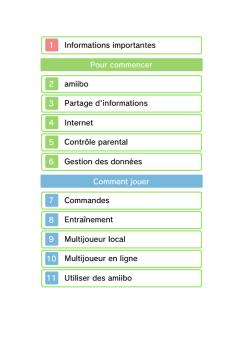
BOXBOY! 1 Informations importantes Pour commencer 2 Partage d ...
15/08/2019 - www.nintendo.com
BOXBOY! 1 Informations importantes Pour commencer 2 Partage d-informations 3 Fonctions en ligne 4 Avis aux parents et tuteurs Informations 5 Sauvegarder et effacer Comment jouer 6 Les niveaux 7 La carte du monde 8 La boutique 9 Envoi de la demo Depannage 10 Assistance 1 Informations importantes Veuillez lire ce mode d-emploi attentivement avant d-utiliser ce

Pikmingarden Coloring 01 Itit
23/11/2025 - www.nintendo.com
1 2 3 4 5

OrigamiInstructions Pikmin Head Red IT
23/11/2025 - www.nintendo.com
Pikmin rosso - Testa Dimensioni foglio consigliate: 20 x 20 cm Ritagliali per l'assemblaggio. Fai attenzione con le forbici! Piega insieme a questa guida video! https://youtu.be/szdYqoenuZg 1 2 Piega a met? lungo entrambe le diagonali, facendo combaciare gli angoli e le pieghe. 5 11 4 Volta il foglio. 7 Solleva il lembo sinistro Piega la punta inferiore e piegalo verso il basso, e falla combaciare facendo combaciare il lato con quella superiore. superiore con la piega centrale. 10 3 Piega...

INSTRUCTION BOOKLET MODE D'EMPLOI ... - Nintendo
02/12/2014 - www.nintendo.com
C/USG-USA NEED HELP WITH INSTALLATION, MAINTENANCE OR SERVICE? NINTENDO CUSTOMER SERVICE: WWW.NINTENDO.COM or call 1-800-255-3700, MON.-SUN., 6:00 a.m. to 7:00 p.m, Pacific Time (Times subject to change) TTY Hearing Impaired: 800-422-4281 BESOIN D'AIDE AVEC L'INSTALLATION, L'ENTRETIEN OU LE SERVICE ? SERVICE À LA CLIENTÈLE DE NINTENDO: www.nintendo.ca Ou appelez le 1-800-255-3700 LUN.-DIM., entre 6 h 00 et 19 h 00 , heure du Pacifique. (Heures sujettes à changement) Service à la clientèle...

BOXBOY! 1 Informations importantes Pour commencer 2 ... - Nintendo
17/10/2016 - www.nintendo.com
BOXBOY! 1 Informations importantes Pour commencer 2 Partage d'informations 3 Fonctions en ligne 4 Avis aux parents et tuteurs Informations 5 Sauvegarder et effacer Comment jouer 6 Les niveaux 7 La carte du monde 8 La boutique 9 Envoi de la démo Dépannage 10 Assistance 1 Informations importantes Veuillez lire ce mode d'emploi attentivement avant d'utiliser ce


protection+ - Logitech
03/04/2017 - www.logitech.com
PROTECTION+ Quick Start Guide Première utilisation English . . . . . . . . . . . . . . . . . . . . 3 Français . . . . . . . . . . . . . . . . . . . . 8 Español . . . . . . . . . . . . . . . . . . . 13 2 Compatibility Protection [+] power was designed and manufactured solely for the Samsung Galaxy S5. Please do not attempt to combine it with any other smartphone. Package Contents 1. Protection [+] power case 2. Micro USB to USB cable 3. Quick Start Guide 4. Important Information...

FE-46/X-42/X-41 - OLYMPUS LEARN CENTER
07/09/2018 - www.olympus.fr
APPAREIL PHOTO NUMÉRIQUE FE-46/X-42/X-41 Manuel d instructions %Ï Nous vous remercions d avoir acheté un appareil photo numérique Olympus. Avant de commencer à utiliser votre nouvel appareil photo, veuillez lire attentivement ces instructions afin d optimiser ses performances et sa durée de vie. Conservez ce manuel dans un endroit sûr pour pouvoir vous y référer ultérieurement. %Ï Nous vous recommandons de prendre des photos-test pour vous habituer à votre appareil avant de commencer...

INSTALLATION ET UTILISATION
20/03/2015 - docs.whirlpool.eu
F INSTALLATION ET UTILISATION Remarque concernant l installation : La distance minimum entre la surface de support des récipients sur le dispositif de cuisson et la partie la plus basse de la hotte ne doit pas être inférieure à 60 cm pour les cuisinières électriques et à 70 cm pour les cuisinières à gaz ou mixtes. Si les instructions d installation du dispositif de cuisson à gaz indiquent une distance supérieure, il est nécessaire de la respecter. Il est conseillé de consulter un...

Fiche produit Sony : 16/1133797571416.pdf
16/02/2012 - www.sony.fr
Guide sur la gamme de moniteurs Sony www.sonybiz.net/monitors Moniteurs LCD multiformats de référence et Broadcast / Série BVM-L et PVM-L BVM-L230 : Panneau LCD WUXGA de 23 pouces (10 bits) : Entrées multiformats : Graduations colorimétriques précises : Ultra-haute uniformité de l image : Performance précise de l image SD : Traitement vidéo rapide : Modes d affichage Picture and Picture : Fonctions Cinéma : Mode Entrelacement et Black Frame Insertion : Unité de commande...

indien aanwezig
indien aanwezig
20/03/2015 - docs.whirlpool.eu
EERSTE GEBRUIK Wanneer de elektrische aansluiting gerealiseerd is worden op het display de van te voren in de fabriek ingestelde temperaturen (-18 °C en +5 °C) weergegeven. Wanneer er een geluidssignaal klinkt en de temperatuurindicatie knippert, de knop voor het uitschakelen van de alarmen ingedrukt houden. Opmerking: nadat het apparaat in werking is gesteld, duurt het ongeveer 2/3 uur voordat de juiste temperatuur wordt bereikt voor het conserveren van een normale lading van het apparaat. Plaats,...

Station de conférence unifiée Polycom® CX5500
16/02/2017 - www.polycom.fr
FICHE TECHNIQUE Station de conférence unifiée Polycom® CX5500 Les défis auxquels le service informatique se trouve confronté sont de trois sortes : comment faire que les réunions vidéo en salle de conférence soient plus productives, comment réduire le nombre de demandes d'assistance liées à la vidéo, comment se débarrasser des services de support vidéo « en salle » nécessaires jusqu'ici au démarrage des réunions vidéo. Les utilisateurs de vos salles de visioconférence ont-ils...