Nintendo® Wi-Fi USB Connector Mode d'Emploi

Extrait du fichier (au format texte) :

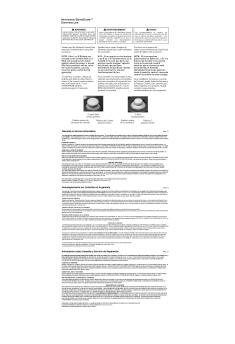
WARRANTY & SERVICE INFORMATION

Rev. P

You may need only simple instructions to correct a problem with your product. Try our website at www.nintendo.com or call our Consumer Assistance Hotline at
1-800-255-3700, rather than going to your retailer. Hours of operation are 6 a.m. to 7
p.m., Pacific Time, Monday - Sunday (times subject to change). If the problem cannot be solved with the troubleshooting information available online or over the telephone, you will be offered express factory service through Nintendo. Please do not send any products to
Nintendo without contacting us first.
HARDWARE WARRANTY
Nintendo of America Inc. ("Nintendo") warrants to the original purchaser that the hardware product shall be free from defects in material and workmanship for twelve (12) months from the date of purchase. If a defect covered by this warranty occurs during this warranty period,
Nintendo will repair or replace the defective hardware product or component, free of charge.
The original purchaser is entitled to this warranty only if the date of purchase is registered at point of sale or the consumer can demonstrate, to Nintendo's satisfaction, that the product was purchased within the last 12 months.
GAME & ACCESSORY WARRANTY
Nintendo warrants to the original purchaser that the product (games and accessories) shall be free from defects in material and workmanship for a period of three (3) months from the date of purchase. If a defect covered by this warranty occurs during this three (3) month warranty period, Nintendo will repair or replace the defective product, free of charge.
SERVICE AFTER EXPIRATION OF WARRANTY
Please try our website at www.nintendo.com or call the Consumer Assistance Hotline at
1-800-255-3700 for troubleshooting information and repair or replacement options and pricing. In some instances, it may be necessary for you to ship the complete product, FREIGHT
PREPAID AND INSURED FOR LOSS OR DAMAGE, to Nintendo. Please do not send any products to Nintendo without contacting us first.

WARRANTY AND SERVICE INFORMATION
WARRANTY LIMITATIONS
THIS WARRANTY SHALL NOT APPLY IF THIS PRODUCT: (a) IS USED WITH PRODUCTS NOT
SOLD OR LICENSED BY NINTENDO (INCLUDING, BUT NOT LIMITED TO, NON-LICENSED
GAME ENHANCEMENT AND COPIER DEVICES, ADAPTERS, AND POWER SUPPLIES); (b) IS
USED FOR COMMERCIAL PURPOSES (INCLUDING RENTAL); (c) IS MODIFIED OR TAMPERED
WITH; (d) IS DAMAGED BY NEGLIGENCE, ACCIDENT, UNREASONABLE USE, OR BY OTHER
CAUSES UNRELATED TO DEFECTIVE MATERIALS OR WORKMANSHIP; OR (e) HAS HAD THE
SERIAL NUMBER ALTERED, DEFACED OR REMOVED.
ANY APPLICABLE IMPLIED WARRANTIES, INCLUDING WARRANTIES OF
MERCHANTABILITY AND FITNESS FOR A PARTICULAR PURPOSE, ARE HEREBY LIMITED IN
DURATION TO THE WARRANTY PERIODS DESCRIBED ABOVE (12 MONTHS OR 3 MONTHS,
AS APPLICABLE). IN NO EVENT SHALL NINTENDO BE LIABLE FOR CONSEQUENTIAL OR
INCIDENTAL DAMAGES RESULTING FROM THE BREACH OF ANY IMPLIED OR EXPRESS
WARRANTIES. SOME STATES DO NOT ALLOW LIMITATIONS ON HOW LONG AN IMPLIED
WARRANTY LASTS OR EXCLUSION OF CONSEQUENTIAL OR INCIDENTAL DAMAGES, SO
THE ABOVE LIMITATIONS MAY NOT APPLY TO YOU.
This warranty gives you specific legal rights. You may also have other rights which vary from state to state or province to province.


Les promotions


OrigamiInstructions Pikmin Head Flower Yellow DE
17/09/2024 - www.nintendo.com
Gelbes Pikmin  Kopf Empfohlene Papiergr??e: 20 x 20 cm Falte mit der Anleitung in diesem Video mit! https://youtu.be/A26MHNlKexE 1 2 Falte das Papier beidseitig in der H?lfte, indem du die gegen?berliegenden Ecken aneinanderlegst. Klappe die linke und rechte Ecke ein und lege ihre R?nder an der mittleren Falte an. 5 Drehe das Papier um. 4 Falte die obere Spitze zur unteren Spitze, streiche sie glatt und ?ffne sie dann wieder. 7 Falte die obere Spitze nach links bis zur ?u?ersten linken...

Wii Party U - Nintendo
08/03/2018 - www.nintendo.com
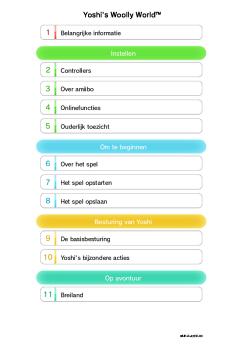
1 Informations importantes Commencer à jouer 2 Manettes compatibles 3 Connexion Internet 4 Avis aux parents et tuteurs Introduction 5 Commandes 6 Données de sauvegarde Comment jouer 7 Menu principal 8 Déroulement du jeu 9 Notes et recommandations 10 Avertissement sur la jouabilité À propos de ce produit 11

Veuillez lire les avertissements suivants avant ... - Nintendo
02/12/2014 - www.nintendo.com
C/C-AGS-CAN(F) AVERTISSEMENT : VEUILLEZ LIRE ATTENTIVEMENT LE MANUEL SPÉCIFIQUE DE PRÉCAUTIONS COMPRIS AVEC CE PRODUIT, AVANT D'UTILISER VOTRE APPAREIL NINTENDO®, UN LOGICIEL OU UN ACCESSOIRE. IL CONTIENT DES RENSEIGNEMENTS IMPORTANTS CONCERNANT LA SÉCURITÉ. C e sceau officiel est votre garantie que Nintendo a examiné ce produit et qu il satisfait nos normes d excellence en ce qui a trait à sa main-d Suvre, sa fiabilité et sa valeur en tant que divertissement. Recherchez-le toujours...

1 • Información de salud y seguridad 2 ... - Nintendo
02/12/2014 - www.nintendo.com
Renseignements sur la FCC et sur Industrie Canada 6 " Communication entre deux accessoires Pokéwalker Environ 5 cm (2 po) 1 Placez les deux Pokéwalker à environ 5 cm (2 po) l'un de l'autre, en vous assurant qu'ils se font face (voir l'illustration). 2 Sélectionnez « CONNECT » [CONNEXION] depuis le menu de chaque Pokéwalker et appuyez sur le bouton pour lancer la communication. " Ne déplacez pas les Pokéwalker jusqu'à ce que vous voyiez « (Nom du Pokémon) has arrived! » [(Nom du...

YO-KAI WATCH™ 2: Fleshy Souls - Nintendo
08/03/2018 - www.nintendo.com
YO-KAI WATCH!" 2: Fleshy Souls 1 Important Information Basic Information 2 Information-Sharing Precautions 3 Internet 4 Note to Parents and Guardians Starting/Ending the Game 5 Starting the Game 6 Quitting the Game Controls 7 Controls Playing the Game 8 How to Play 9 Field Screen 10 Actions (1) 11 Actions (2)

Funcionamiento del WaveBird Control - Nintendo
02/12/2014 - www.nintendo.com
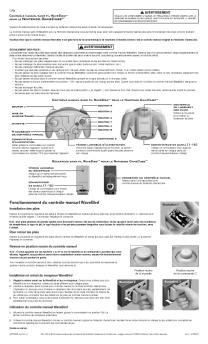
Funcionamiento del WaveBird Control Nintendo GameCube!" WaveBird!" Control Inalámbrico Instalación de las Pilas AVISO LEA CUIDADOSAMENTE EL MANUAL DE PRECAUCIONES DE SALUD Y SEGURIDAD INCLUIDO CON EL EQUIPO NINTENDO GAMECUBE Y LOS VIDEOJUEGOS ANTES DE USAR ESTE ACCESORIO. ESTE MANUAL CONTIENE INFORMACION DE SALUD Y SEGURIDAD IMPORTANTE. Por favor lea el manual de instrucciones del Nintendo GameCube antes de utilizar este accesorio. El WaveBird le permite jugar v deo juegos en su Nintendo...

Actions de Mario - Nintendo
02/12/2014 - www.nintendo.com
Actions des objets bonus Mario de feu Mario raton laveur Battre de la queue Lancer des boules de feu Redescendre doucement Appuyez sur enfoncé. Mario d'or et maintenez-le Voler Lancer des boules de feu d'or Utilisez le turbo pour remplir , puis appuyez sur et maintenez-le enfoncé lorsque l'icône s'allume. Conseils pour ramasser plus de pièces Mode Coopération Il est plus facile de ramasser des pièces si vous jouez à deux. Anneaux d'or Touchez ces anneaux pour transformer les ennemis...

Electronicmanual Nintendo3ds Mariokart7 It
28/09/2024 - www.nintendo.com
1 Salute e sicurezza Come iniziare 2 Menu principale 3 Salvare i dati Comandi 4 Comandi di base 5 Tecniche di guida Oggetti 6 Usare gli oggetti 7 Lista degli oggetti Un giocatore 8 Gran premio 9 Prove a tempo 10 Battaglia palloncini 11 Battaglia monete Pi? giocatori (locale) 12


Da DK 7177881500 MDM PRODUCT FICHE EU 2021 Da DK
07/04/2025 - www.grundig.com
Leverand?rens navn eller varem?rke: Leverand?rens adresse: GRUNDIG Arctic S.A Gaesti, Dambovita, 13 Decembrie Street, No 210, Romania GWP810616WW 7177881500 Modellens identifikationskode: Generelle produktparametre: Parameter V?rdi Parameter 10,0 Nominel kapacitet ( kg) Dimensioner i cm V?rdi H?jde 84,5 Bredde 60,0 Dybde 58,0 Energieffektivitetsindeks (EEI w) 46,5 Energieffektivitetsklasse A Vaskeevneindeks 1,035 Skylleevne (g/kg) 4,9

6 millions de pixels Zoom 3x Moniteur ACL 2,5 pouces 6 millions de ...
12/03/2012 - www.nikon.fr
6 millions de pixels Zoom 3x Moniteur ACL 2,5 pouces 6 millions de pixels Zoom 3x Moniteur ACL 3 pouces Transfert des images sans fil Nikon Un nouveau monde de liberté Commande Portrait optimisé Fonction D-Lighting Corrigez les images sous-exposées ou les photos à contre-jour. La fonction D-Lighting unique de Nikon crée automatiquement une copie en éclaircissant les zones sombres sans modifier les zones correctement exposées. Sans la fonction D-Lighting Avec la fonction D-Lighting Partage ultra Fonction...

Formulaire de demande d'envoi - Smeg
05/12/2017 - www.smeg.fr
Formulaire de demande d envoi DU SET DE CASSEROLES VOS COORDONNEES PERSONNELLES Civilité* : p Mme p M. INFORMATIONS D ACHAT Date d achat* : Prénom* : Enseigne d achat* : Nom* : Ville d achat* : Adresse* : Code postal ville d achat* : S agit-il d un achat sur Internet* : p Code postal* : Référence du produit acheté* : Ville* : Numéro de série du produit acheté* : Oui p Non Pays* : Téléphone mobile : p

Lave-vaisselle - Fiche Produit Selon le règlement ... - Sauter
17/02/2020 - www.sauter-electromenager.com
Lave-vaisselle - Fiche Produit Selon le reglement delegue (UE) N° 1059/2010 Marque SAUTER Reference commerciale SVH1342J Nombre de couverts Classe d-efficacite energetique Consommation d-energie de 13 A++ 262 kWh/an Sur la base de 280 cycles de lavage standard avec alimentation en eau froide et de la consommation des modes a faible puissance. La consommation reelle d-energie depend des conditions d-utilisation de l-appareil. Consommation d'energie du cycle de lavage standard (Programme ECO...

Wireless Guitar
Wireless Guitar
16/02/2012 - www.logitech.com
Quick-start guide AA 1 2 Quick-start guide Wireless Guitar Controller Logitech® Wireless Guitar Controller Logitech® 3 4 5 ? English Troubleshooting -- Guitar controller not working 1. You may be out of range with the receiver. Stand within 10 meters of the receiver and do not place metal objects in front of it. 2. Make sure the guitar controller is turned on. Press the PS button (setup step 4) for one second. 3. Check receiver connection with game console (setup step 3), and make sure...

Getting started with Logitech® Speaker Stand
16/02/2012 - www.logitech.com
Français Déballage et installation Operazioni preliminari Posizionamento dell'iPad 1. Sistemare l'iPad sul supporto collegandolo con cautela al connettore a 30 pin del supporto. Non esercitare una pressione eccessiva durante il collegamento. 2. Utilizzare il braccio del supporto per ruotare l'iPad in posizione verticale o orizzontale. 3. Utilizzare il braccio del supporto per regolare l'angolazione dell'iPad. Ascolto tramite l'iPad 1. Una volta collegato l'iPad al connettore a 30 pin del supporto,...