43 vision

Extrait du fichier (au format texte) :

43 vision
Widgets Main Functions Video output

REGISTER YOUR PRODUCT!

EN

CHARGING & CONNECTING TO A COMPUTER

PUTTING VIDEOS, MUSIC AND PHOTOS ONTO YOUR ARCHOS

Once you unpack your ARCHOS product, we recommend that you take a few minutes to register it. This will allow you to get access to our technical support. On our Website: See the Frequently Asked Questions section on www.archos.com/faq Technical Support Team: Visit www.archos.com/support for e-mail support. U.S. & Canada: Call 877-300-8879
Europe: please register your product before contacting Technical Support.

WARNING
use of such for your country and jurisdiction. For driving safety, only a passenger should operate the device when the car is in motion and not the

(with optional video cable for purchase)

USB computer Interface

LEGAL AND SAFETY INFORMATION
Warranty and Limited Liability to the limited warranty. Manufacturer's liability may be further limited in accordance with its sales contract. In general, and in an non-limited man-

Headphones Charging: Whenever your ARCHOS is connected to a running computer, it will charge automatiTo change the language of your device, select Settings and then scroll down to Language, and (lower left) to return to the home screen. cally (even if you unmount it with the safe removal icon). Alternatively, a wall-pluggable USB charger can be purchased from the ARCHOS store at www.archos.com.

Copy/paste with Windows® Explorer

Synchronize with Windows Media® Player 11
for a particular purpose, regarding the licensed materials. ARCHOS' licensor(s) does not warrant, guarantee or make any representations regarding the use or the results of the use of the licensed materials in terms of its correctness, accuracy, reliability, correctness or otherwise. The entire risk as -

Connecting: When you connect the USB cable to your computer, the ARCHOS will connect as
® ARCHOS (E:) -

Sync you want to transfer into the sync area in the panel on the right. 3) Click on the Start Sync button. The selected videos, songs or photos will be copied directly into the corresponding Video, Music or Pictures mation. To receive and play podcasts, you can use freely available software from the Internet such as the popular Juice program to get your podcasts and then you can transfer them to your ARCHOS.

and the like) arising out of the use of inability to use the licensed materials even if ARCHOS' licensor has been advised of the possibility of such Furthermore, warranty does not apply to: 2. 3. Any product tampered-with or damaged warranty seal or serial number label. Any product without a warranty or serial number label. Batteries and any consumable items delivered with or in the equipment. -

DISCONNECTING THE ARCHOS FROM A COMPUTER
and any other program that may have read or written to the ARCHOS. Click on the `safely remove' icon in the system tray, If the icon has solid bars, this means the battery is completely charged. If they are blinking, it means the battery is still charging. You can leave the device to fully charge or unplug the cable and use the ARCHOS with a partial charge.

MUSIC SELECTION

MUSIC PLAYBACK
1. Song title 2. Artist name 3. Album name 4. Elapsed time
(tap anywhere on the progression bar to jump to another part of the song) 1 2 3 5 8 12
13 14 15 16

9. Return 10. Song item out of total number of songs on the device/folder 11. Play mode

Les promotions


Cp Archos  Calendrier Publications 1er Semestre 2024
Cp Archos Calendrier Publications 1er Semestre 2024
24/09/2024 - www.archos.com
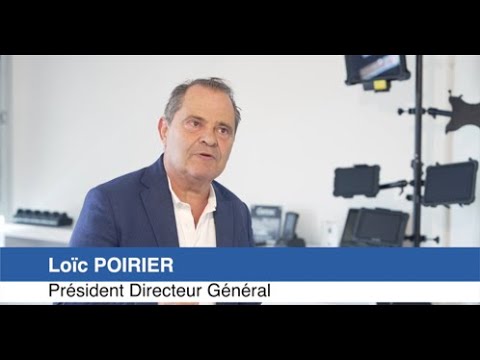
Calendrier des publications financi?res du 1er semestre 2024 Paris, France  1er juillet 2024  ARCHOS (code ISIN : FR001400K061) annonce le calendrier suivant pour les publications financi?res du 1er semestre 2024 : - Communiqu? du chiffre d'affaires du premier semestre 2024 : 16 Juillet 2024 ? 18h Communiqu? des r?sultats financiers du premier semestre 2024 : 7 Aout 2024 ? 18h Contact Investisseurs LoNc Poirier  Pr?sident Directeur G?n?ral  poirier@archos.com A propos d'ARCHOS ARCHOS, expert...

Guide de démarrage rapide en Anglais / Portugais / Français ... - Archos
13/08/2016 - www.archos.com
EN Table of contents Package contents...................................................................................................................................2 Getting started........................................................................................................................................3 Description of the device.....................................................................................................................4 Inserting SIM & Micro-SD cards.........................................................................................................5 3G...

MANUEL D'UTILISATION Gen 5
16/03/2012 - www.archos.com
FRANÇAIS 405 605 WIFI MANUEL D'UTILISATION Gen 5 Version 2.0 Pour télécharger la dernière version de ce manuel, rendez-vous sur www.archos.com/manuals Cher client, Merci d'avoir choisi ce produit ARCHOS. Nous espérons que vous aurez plaisir à l'utiliser et qu'il vous donnera pleinement satisfaction pendant de nombreuses années. N'hésitez pas à enregistrer ce produit sur notre site web (www.archos.com/ register), vous pourrez ainsi avoir accès à notre aide téléphonique et être informé...

EWE et ARCHOS travaillent en étroite collaboration afin de proposer ...
16/03/2012 - www.archos.com
Communiqué de Presse 10 décembre 2009 EWE et ARCHOS travaillent en étroite collaboration afin de proposer un système de monitoring sur la consommation d'énergie EWE, fournisseur d'énergie Allemand basé à Oldenburg, et ARCHOS, leader technologique sur le marché des Tablettes Internet, annoncent leur coopération afin de proposer un système de monitoring de consommation d'énergie. EWE proposera au premier semestre 2010 à tous ses clients une solution combinant un instrument de mesure...

ARCHOS confirme le remboursement de l'emprunt Echostar
16/03/2012 - www.archos.com
Communiqué de presse Igny, le 19 Mai 2011 ARCHOS confirme le remboursement de l'emprunt Echostar Conformément aux engagements pris dans le cadre de l'utilisation des fonds issus de l'opération d'augmentation de capital clôturée le 17 mai, la Société ARCHOS a procédé hier au remboursement anticipé de l'emprunt obligataire émis en décembre 2008 et souscrit par EchoStar Corporation pour un montant de 5.000.000 d'euros. Les éléments d'information relatifs à la mise en place de cet emprunt...

SFR signe un accord de partenariat avec ARCHOS, leader sur le ...
16/03/2012 - www.archos.com
Communiqué de presse Paris, le 12 février 2008 SFR signe un accord de partenariat avec ARCHOS, leader sur le marché des baladeurs multimédia SFR et ARCHOS annoncent la signature d'un accord de partenariat visant à intégrer la connectivité 3G+ ainsi qu'à étendre l'univers des services mobiles SFR dans la future gamme de baladeurs ARCHOS avant fin 2008. Cet accord, rendu possible par la force du leadership de SFR en matière de réseau 3G/3G+ et de qualité de service, ouvre la voie à des...

CP_ARCHOS Ice Cream Sandwich_FR_23022012_Revised by MC
16/03/2012 - www.archos.com
Information presse 8 mars 2012 Ice Cream Sandwich (AndroidTM 4.0) disponible aujourd'hui sur les tablettes ARCHOS G9 La mise à jour d'Ice Cream Sandwich est disponible dès aujourd'hui en téléchargement via une connexion WiFi depuis toutes les tablettes de la gamme ARCHOS G9. ARCHOS, acteur majeur sur le marché des tablettes AndroidTM, annonce aujourd'hui la disponibilité de la dernière version d'AndroidTM 4 .0.3, connue sous le nom de "Ice Cream Sandwich", sur toute la gamme ARCHOS G9. Tous...

COMMENT NAVIGUER SUR INTERNET AVEC VOTRE LECTEUR ...
16/03/2012 - www.archos.com
comment naviguer sur internet avec â votre Lecteur WiFi arcHos Après avoir acheté et installé le plug-in Web Browser [Navigateur Internet] en option sur votre lecteur ARCHOS, vous aurez tout Internet au bout de vos doigts. 1 À partir du menu d'accueil, sélectionnez l'icône Web et appuyez sur `OK'. Votre lecteur ARCHOS cherchera une connexion WiFi. Il choisira le premier réseau disponible auquel il s'est connecté auparavant. Si votre appareil ARCHOS n'a jamais été connecté à un réseau,...


Technologie SmartAlign™
25/02/2012 - www.seagate.com
Bulletin Marketing Technologie SmartAlignTM Questions fréquemment posées (FAQ) Qu'est-ce que la technologie SmartAlignTM ? SmartAlign de Seagate® est un firmware pour disque dur qui prévient les cycles de lecture-modification-écriture provoqués par le mauvais alignement des partitions, problème caractéristique des disques durs à secteurs 4K, également appelés disques durs au format avancé. La technologie SmartAlign ne corrige pas l'alignement des partitions, mais règle le problème...

Fiche produit Sony : 11/1237382086311.pdf
16/02/2012 - www.sony.fr
Communiqué de presse Paris, Mardi 03 mars 2009 Une qualité d'image extraordinaire associée à un grand angle avec zoom puissant Capteur CMOS « Exmor » de 9,1 millions de pixels effectifs Objectif Sony G grand angle 28 mm et zoom optique 20x (28 ­ 560 mm) Stabilisateur optique SteadyShot et Haute Sensibilité ISO 3200 Mode Rafale jusqu'à 10 images par seconde en pleine résolution avec obturateur mécanique · Mode vidéo Haute Définition 1080p · Mode Panorama · Écran LCD 3,0 pouces...

iPod nano Kullanma Kilavuzu - Support - Apple
27/11/2014 - manuals.info.apple.com
iPod nano Kullanma K1lavuzu 0çindekiler 4 4 5 5 6 Bölüm 1: /0lk Bak1_ta iPod nano 7 7 Bölüm 2: /Ba_lang1ç 9 9 11 13 13 15 Bölüm 3: /Temel Konular 17 17 20 22 25 Bölüm 4: /Müzik ve Dier Sesler 27 27 27 28 Bölüm 5: /Videolar 30 30 31 32 33 33 Bölüm 6: /FM Radyo

IPL, YT150, 1995-01, France, Tractor - Motoculture Jean
29/07/2016 - www.husqvarna.com
562 14 03-41 532 14 03-56 817 49 06-12 532 12 75-43 532 12 64-71 532 14 04-52 872 14 06-08 532 14 11-09 532 14 02-84 874 18 05-12 873 51 05-00 532 12 54-54 532 14 01-81 874 78 06-16 819 13 13-12 873 80 06-00 532 12 73-24 532 12 42-51 532 14 00-02 532 13 71-13 532 12 48-993 532 12 49-14 872 11 06-06 532 10 80-67 532 13 98-86 532 13 98-87 532 12 42-50 532 14 06-75 532 12 73-16 532 10 55-31 532 14 52-05 873 51 04-00 532 11 04-36 532 12 12-36 532 10 47-83 874 76 05-32 532 14 14-48 819 11 11-16 532...

Télécharger cet article en PDF - Kyocera
23/05/2016 - www.kyocera.fr
e COMMUNIQUÉ DE PRESSE Gif sur Yvette, le 19 Avril 2010 KYOclick, le service de coût à la page KYOCERA est désormais opérationnel. " Une réponse simple aux besoins de la distribution IT Kyoclick est le service de facturation à la page des partenaires Kyocera leur permettant de vendre tous les produits de la gamme Kyocera (imprimantes, multifonctions A4 et copieurs numériques A3) avec un contrat à la page, incluant le service de maintenance sur site et la livraison de consommables. ...

E DESCRICPION DEL APARATO Page 52 ANTES DE ...
20/03/2015 - docs.whirlpool.eu
N C INDICE E DESCRICPION DEL APARATO Page 52 ANTES DE USAR EL FRIGORIFICO Page 52 PRECAUCIONES Y CONSEJOS GENERALES Page 53 COMO HACER FUNCIONAR EL FRIGORIFICO Page 53 COMO HACER EL DESESCARCHE Y COMO LIMPIAR EL FRIGORIFICO Page 54 GUIA BUSQUEDA DE AVERIAS Page 55 SERVICIO ASISTENCIA TECNICA Page 55 INSTALACION Page 56 REVERSIBILIDAD DE LA PUERTA Page 56 51 M 51