Nintendo® Wi-Fi USB Connector Mode d'Emploi

Extrait du fichier (au format texte) :

WARRANTY & SERVICE INFORMATION

Rev. P

You may need only simple instructions to correct a problem with your product. Try our website at www.nintendo.com or call our Consumer Assistance Hotline at
1-800-255-3700, rather than going to your retailer. Hours of operation are 6 a.m. to 7
p.m., Pacific Time, Monday - Sunday (times subject to change). If the problem cannot be solved with the troubleshooting information available online or over the telephone, you will be offered express factory service through Nintendo. Please do not send any products to
Nintendo without contacting us first.
HARDWARE WARRANTY
Nintendo of America Inc. ("Nintendo") warrants to the original purchaser that the hardware product shall be free from defects in material and workmanship for twelve (12) months from the date of purchase. If a defect covered by this warranty occurs during this warranty period,
Nintendo will repair or replace the defective hardware product or component, free of charge.
The original purchaser is entitled to this warranty only if the date of purchase is registered at point of sale or the consumer can demonstrate, to Nintendo's satisfaction, that the product was purchased within the last 12 months.
GAME & ACCESSORY WARRANTY
Nintendo warrants to the original purchaser that the product (games and accessories) shall be free from defects in material and workmanship for a period of three (3) months from the date of purchase. If a defect covered by this warranty occurs during this three (3) month warranty period, Nintendo will repair or replace the defective product, free of charge.
SERVICE AFTER EXPIRATION OF WARRANTY
Please try our website at www.nintendo.com or call the Consumer Assistance Hotline at
1-800-255-3700 for troubleshooting information and repair or replacement options and pricing. In some instances, it may be necessary for you to ship the complete product, FREIGHT
PREPAID AND INSURED FOR LOSS OR DAMAGE, to Nintendo. Please do not send any products to Nintendo without contacting us first.

WARRANTY AND SERVICE INFORMATION
WARRANTY LIMITATIONS
THIS WARRANTY SHALL NOT APPLY IF THIS PRODUCT: (a) IS USED WITH PRODUCTS NOT
SOLD OR LICENSED BY NINTENDO (INCLUDING, BUT NOT LIMITED TO, NON-LICENSED
GAME ENHANCEMENT AND COPIER DEVICES, ADAPTERS, AND POWER SUPPLIES); (b) IS
USED FOR COMMERCIAL PURPOSES (INCLUDING RENTAL); (c) IS MODIFIED OR TAMPERED
WITH; (d) IS DAMAGED BY NEGLIGENCE, ACCIDENT, UNREASONABLE USE, OR BY OTHER
CAUSES UNRELATED TO DEFECTIVE MATERIALS OR WORKMANSHIP; OR (e) HAS HAD THE
SERIAL NUMBER ALTERED, DEFACED OR REMOVED.
ANY APPLICABLE IMPLIED WARRANTIES, INCLUDING WARRANTIES OF
MERCHANTABILITY AND FITNESS FOR A PARTICULAR PURPOSE, ARE HEREBY LIMITED IN
DURATION TO THE WARRANTY PERIODS DESCRIBED ABOVE (12 MONTHS OR 3 MONTHS,
AS APPLICABLE). IN NO EVENT SHALL NINTENDO BE LIABLE FOR CONSEQUENTIAL OR
INCIDENTAL DAMAGES RESULTING FROM THE BREACH OF ANY IMPLIED OR EXPRESS
WARRANTIES. SOME STATES DO NOT ALLOW LIMITATIONS ON HOW LONG AN IMPLIED
WARRANTY LASTS OR EXCLUSION OF CONSEQUENTIAL OR INCIDENTAL DAMAGES, SO
THE ABOVE LIMITATIONS MAY NOT APPLY TO YOU.
This warranty gives you specific legal rights. You may also have other rights which vary from state to state or province to province.


Les promotions


Tenchu_00_01 [Converted].ai - Nintendo
02/12/2014 - www.nintendo.com
NEED HELP WITH INSTALLATION, MAINTENANCE OR SERVICE? NINTENDO CUSTOMER SERVICE WWW.NINTENDO.COM or call 1-800-255-3700 MON.-SUN., 6:00 a.m. to 7:00 p.m., Pacific Time (Times subject to change) BESOIN D AIDE POUR L INSTALLATION, L ENTRETIEN OU LA RÉPARATION? SERVICE À LA CLIENTÈLE DE NINTENDO WWW.NINTENDO.COM ou appelez le 1 (800) 255-3700 LUN.-DIM., entre 6 h 00 et 19 h 00, heure du Pacifique (Heures sujettes à changement) Nintendo of Canada Ltd. 110 - 13480 Crestwood Place Richmond, B.C....

Health and Safety Information - Nintendo
02/12/2014 - www.nintendo.com
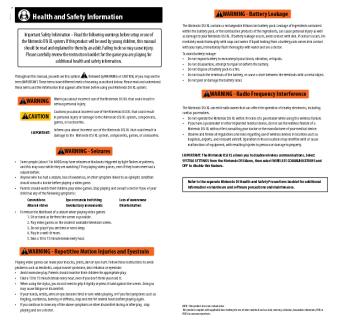
5 Health and Safety Information Throughout this manual, you will see this symbol followed by WARNING or CAUTION, or you may see the term IMPORTANT. These terms have different levels of meaning as outlined below. Please read and understand these terms and the information that appears after them before using your DS system: WARNING Warns you about incorrect use of the Nintendo DSi that could result in serious personal injury. CAUTION Cautions you about incorrect use of the Nintendo DSi that...

C/ntr-usa-1 - Nintendo
02/12/2014 - www.nintendo.com
C/NTR-USA-1 NEED HELP WITH INSTALLATION, MAINTENANCE OR SERVICE? NINTENDO CUSTOMER SERVICE: WWW.NINTENDO.COM or call 1-800-255-3700, MON.-SUN., 6:00 a.m. to 7:00 p.m, Pacific Time (Times subject to change) TTY Hearing Impaired: 800-422-4281 BESOIN D'AIDE AVEC L'INSTALLATION, L'ENTRETIEN OU LE SERVICE ? SERVICE À LA CLIENTÈLE DE NINTENDO: www.nintendo.ca Ou appelez le 1-800-255-3700 LUN.-DIM., entre 6 h 00 et 19 h 00 , heure du Pacifique. (Heures sujettes à changement) Service à la clientèle...

COMMANDES - Nintendo
02/12/2014 - www.nintendo.com
COMMENT CAPTURER DES FANTÔMES Lorsque vous faites face à un fantôme, appuyez sur et relâchez le bouton pour l'éblouir avec votre lampe de poche. Un fantôme ébloui sera assommé pendant un moment. Utilisez pour aspirer les fantômes et les capturer. LIVRET D'INSTRUCTIONS Pendant que vous aspirez un fantôme avec l'Ectoblast 5000, la force du fantôme diminuera. Déplacez dans la direction opposée au fantôme en fuite pour remplir l'Aspir'A. ASPIR'A (Lorsque apparaît) Appuyez sur Ectoblast...

Wii Speak™ - Nintendo
02/12/2014 - www.nintendo.com
C/RVL A MU USZ Wii Speak!" Operations Manual Mode d emploi  page 9 NEED HELP WITH INSTALLATION, MAINTENANCE OR SERVICE? Manual de Operaciones  página 17 Nintendo Customer Service SUPPORT.NINTENDO.COM or call 1-800-255-3700 BESOIN D AIDE POUR L INSTALLATIÓN, L ENTRETIEN OU LA RÉPARATION? Service à la clientèle de Nintendo SUPPORT.NINTENDO.COM ou composez le 1 800 255-3700 ¿NECESITAS AYUDA DE INSTALACION, MANTENIMIENTO O SERVICIO? Servicio al Cliente de Nintendo SUPPORT.NINTENDO.COM o...

Mario Party: Star Rush - Nintendo
04/04/2017 - www.nintendo.com
Mario Party: Star Rush!" 1 Informations importantes 2 Multijoueur (sans fil local) 3 Party Guest 4 Multijoueur (téléchargement) 5 À propos du jeu 6 Données de sauvegarde Accessoires 7 amiibo Informations de base 8 Fonctions en ligne Dépannage 9 Assistance 1 Informations importantes Veuillez lire ce mode d'emploi attentivement avant d'utiliser ce logiciel. Si ce dernier est destiné à des enfants, le mode d'emploi doit leur être lu et expliqué par un adulte. Avant d'utiliser...

Información de Seguridad Importante: Lea Las ... - Nintendo
02/12/2014 - www.nintendo.com
AVISO: LEA CUIDADOSAMENTE EL MANUAL DE PRECAUCIONES INCLUIDO POR SEPARADO CON ESTE PRODUCTO ANTES DE USAR SU SISTEMA, JUEGO O ACCESORIO DE NINTENDO. ESTE MANUAL CONTIENE INFORMACION DE SEGURIDAD IMPORTANTE. E ste sel l o de cal i dad l e garanti za que N i ntendo ha veri fi cado este producto y que éte manti ene nuestro estándar de excel enci a s en artesaní , trabaj o fi dedi gno y cal i dad de entreteni mi ento. a B usque si empre este sel l o al comprar j uegos, o accesori os para asegurarse...

1 • Información de salud y seguridad 2 ... - Nintendo
02/12/2014 - www.nintendo.com
Renseignements sur la FCC et sur Industrie Canada 6 " Communication entre deux accessoires Pokéwalker Environ 5 cm (2 po) 1 Placez les deux Pokéwalker à environ 5 cm (2 po) l'un de l'autre, en vous assurant qu'ils se font face (voir l'illustration). 2 Sélectionnez « CONNECT » [CONNEXION] depuis le menu de chaque Pokéwalker et appuyez sur le bouton pour lancer la communication. " Ne déplacez pas les Pokéwalker jusqu'à ce que vous voyiez « (Nom du Pokémon) has arrived! » [(Nom du...


Logi Dock Datasheet
Logi Dock Datasheet
14/03/2025 - www.logitech.com
DATASHEET LOGI DOCK Upgrade the remote working experience with Logi Dock, an all-in-one docking station with one-touch meeting controls and a built-in speakerphone. Certified for leading video conferencing platforms and easy to set up, Logi Dock connects everything in one tidy unit, replaces the need for extra peripherals, and eliminates a tangle of cables and wires. THE ULTIMATE DOCK FOR HYBRID WORKERS Logi Dock is an all-in-one docking station with meeting controls and enterprise-quality audio...

PAG. 3 - De'Longhi
PAG. 3 - De'Longhi
04/05/2017 - www.delonghi.com
Printed in China www.delonghi.com 1261006IDL/02.13 Instructions for use. Keep these instructions Mode d emploi. Conservez cette notice Instrucciones para el uso Repase y guarde estas instrucciones Lea cuidadosamente este instructivo antes de usar su aparato Visit www.delonghi registration.com to register your product on-line. Visit www.delonghi.com for a list of service centers near you. Visitez www.delonghiregistration.com pour enregistrer votre produit en ligne. Visitez www.delonghi.com...

12big Rack Serial 2 - LaCie
17/04/2020 - www.lacie.com
12big Rack Serial 2 JBOD avec connectivite Mini SAS Solution de stockage silencieuse, extensible, en attachement direct Jusqu-a 120 To SATA | 57,6 To SAS REDUNDANT DUAL POWER & COOLING UNITS Serial Attached SCSI En attachement direct et silencieux Composants et assistance professionnels Le LaCie 12big Rack Serial 2 est parfaitement adapte aux professionnels qui cherchent a etendre les capacites de stockage de leur poste de travail ou de leur serveur. En utilisant un controleur RAID Mini...

about your MacBook Air - Support - Apple
27/11/2014 - manuals.info.apple.com
Congratulations, you and your MacBook Air were made for each other. Welcome to your MacBook Air. www.apple.com/macbookair Built-in FaceTime camera Make video calls to the latest iPad, iPhone, iPod touch, or Mac. Thunderbolt high-speed I/O Connect high-performance devices and displays. Help Center facetime Help Center thunderbolt MacBook Air Click anywhere Pinch to zoom Multi-Touch trackpad Use gestures like these to control your Mac. Help Center gestures Rotate images Scroll up or down Swipe...

SCHEDA PRODOTTO LAVATRICI
20/03/2015 - docs.whirlpool.eu
SCHEDA PRODOTTO LAVATRICI MARCHIO Whirlpool CODICE COMMERCIALE AWSE7400 CAPACITÀ IN KG. DI COTONE 7 CLASSE DI EFFICIENZA ENERGETICA A+++ Consumo energetico 174 kWh annui, basato su 220 cicli di lavaggi standard con programma Cotone a 60°C e 40°C a pieno carico e parziale e il consumo in modalità di massima efficienza. Il consumo energetico effettivo dipende dall'utilizzo dell'elettrodomestico. CONSUMO ENERGETICO DEL PROGRAMMA COTONE 60° STANDARD A PIENO CARICO 0.90 kWh CONSUMO ENERGETICO...

Logitech Crayon Whitepaper
09/05/2025 - www.logitech.com
DESIGNED FOR LEARNING, BUILT FOR SCHOOLS: LOGITECH CRAYON Designed For Learning, Built for Schools Logitech Crayon 1 DESIGNED FOR LEARNING, BUILT FOR SCHOOLS: LOGITECH CRAYON Logitech is committed to giving learners user-centered solutions that meet their diverse needs. We work hand-in-hand with educators and students from concept to final prototype, to ensure that students are comfortable and in control, so they can take on engaging learning experiences in any environment. Simply put, we...