Privacy Notice Us Ie

Extrait du fichier (au format texte) :

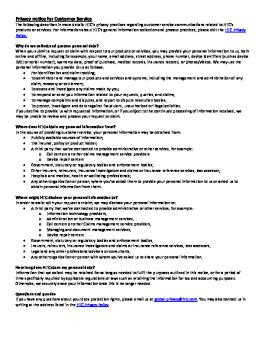
Privacy notice for Customer Service
The following describes in more details HTC's privacy practices regarding customer service communications related to HTC's products or services. For information about HTC's general information collection and process practices, please visit the HTC Privacy
Policy.
Why do we collect and process personal data?
When you submit a request or claim with respect to our products or services, you may provide your personal information to us, both online and offline, including for example, your name, email address, street address, phone number, device identifiers (such as device
IMEI or serial number), warranty data, proof of purchase, medical records, insurance records, or photos/videos. We may use the personal information you provide to us as follows:
ð· For identification and claim tracking;
ð· To administer and manage our products and services and systems, including the management and administration of any claim, recovery or settlement;
ð· To assess and investigate any claims made by you;
ð· To respond or send you information related to your requests, queries, and claims;
ð· To manage complaints and disputes, and report to dispute resolution bodies;
ð· To protect, investigate and deter against fraudulent, unauthorized or illegal activities.
If you decline to provide us with requested information, or if you object to the continued processing of information received, we may be unable to review and process your request or claim.
Where does HTC obtain my personal information from?
In the course of providing customer service, your personal information may be obtained from:
ð· Publicly available sources of information;
ð· The insured, policy or product holder;
ð· A third party that we've contracted to provide administrative or other services, for example:
o Call centers or other claims management service providers o Device repair centers
ð· Government, statutory or regulatory bodies and enforcement bodies;
ð· Other insurers, reinsurers, insurance investigators and claims or insurance reference services, loss assessor;
ð· Hospitals and medical, health or wellbeing professionals;
ð· Any other organization or person, where you've asked them to provide your personal information to us or asked us to obtain personal information from them.
Where might HTC disclose your personal information to?
In order to assist with your request or claim, we may disclose your personal information to:
ð· A third party that we've contracted to provide administrative or other services, for example:
o Information technology providers,
o Administration or business management services,
o Call centers or other Claims management service providers,
o Managing and document management services,
o Device repair centers
ð· Government, statutory or regulatory bodies and enforcement bodies,
ð· Insurers, reinsurers, insurance investigators and claims or insurance reference services, loss assessors,
ð· Legal and any other professional advisers or consultants,
ð· Any other organization or person with whom you've asked us to share your personal information.
How long does HTC store my personal data?
Information that we collect may be retained for as long as needed to fulfil the purposes outlined in this notice, or for a period of time specifically required by applicable regulations or laws such as retaining the information for tax and accounting purposes.
Otherwise, we securely erase your information once this is no longer needed.
Questions and queries
If you have any questions about your data protection rights, please email us at global-privacy@htc.com. You may also contact us in writing at the address listed in the HTC Privacy Policy.


Les promotions


Htc U12plus P90 Us User Guide
21/09/2024 - dl4.htc.com
User guide HTC U12+ 2 Contents Contents What's special with HTC U12+ Android 9.0 update 11 New experience when interacting with your phone 12 Edge Sense 2 12 Dual cameras 13 Immersive sound 14 Unboxing and setup HTC U12+ overview 15 Inserting the nano SIM and microSD cards 17 Using the protective case 19 Charging the battery 20 Switching the power on or off 20

HTC Desire 555 Cricket QSG
22/06/2025 - dl4.htc.com
Getting to know your HTC Desire? 555 Front camera Earpiece Headphone jack Clear and Simple Quick Start Guide Proximity sensor SIM card slot microSD!" slot Volume buttons Power button HTC Desire 555 ? Phone setup Navigating your phone Personalize Calls and voicemail Insert the SIM and microSDTM card " Use your fingertip to lightly touch the screen. Customize home screens Make a call 1. With your phone off and facing down, open the slot cover with your thumb or finger. " Use quick...

Htc Desire 650 2pyr120 Safety Guide Eng 20161205
20/06/2025 - dl4.htc.com
Safety and regulatory guide Please read before proceeding THE BATTERY IS NOT FULLY CHARGED WHEN YOU TAKE THE DEVICE OUT OF THE BOX. Privacy restrictions Some countries require full disclosure of recorded telephone conversations. Important health information and safety precautions When using this product, the safety precautions below must be taken to avoid possible legal liabilities and damages. Retain and follow all product safety and operating instructions. Observe all warnings in the operating...

20140919 03 Re Qsg Sg Warranty Us English
14/07/2024 - dl4.htc.com
QUICK START GUIDE Shop for accessories that fit your lifestyle at www.recamera.com Lens Mic Slow motion mode switch Indicator LED Grip sensor Shutter button Indicator LED Speaker Tripod screw Lanyard Hook to the tripod screw. Fasten the screw to the tripod socket. Micro USB port Tripod socket MicroSD!" card slot (with cover) SET UP YOUR RE FOR THE FIRST TIME STORAGE CARD Confirm that there is a microSD card inserted in your RE. 1. Open the microSD card slot cover located at the bottom...

Privacy Notice Sc Cn
14/07/2024 - dl4.htc.com
[¢b7g R¡–yÁwåNf N e‡‹æ~ÆcϏðNQsNŽ HTC N§TÁTŒg R¡v„[¢b7g R¡OávøQsv„ HTC –yÁPZlÕ0k2wå HTC N‚,Oá`oe6–ÆTŒYtv„PZlÕÿ ‹÷‹n•î HTC –yÁe?{V0 N:NÀNHbNìOe6–Æ^vYtN*Nºepcnÿ W(`¨cÐN¤NNýQsNŽbNìN§TÁbg R¡v„‹÷lBb}"Teöÿ `¨SN€ý—‰Ç~nN TŒ~nN TbNìcÐO›`¨v„N*NºOá`oÿ Sbì`¨v„YÓT 0 u5[P®NöW0W@0ˆWSW0W@0u5‹ÝS÷x0‹¾Yh‹Æ{&ÿO‹Y‚‹¾Y IMEI b^RS÷ÿ 0OÝOîOá`o0-Np‹Áf0~ôOî‹°_U0OÝ–i‹° _UbqgrG/‰Æ˜‘0bNìSNNåW(NåN `ÅQµN Ou(`¨cÐO›~ÙbNìv„N*NºOá`oÿ ð·...

Htc U12life 2q6e100 Safety Guide Eng 20181022
21/04/2025 - dl4.htc.com
?? ?? ?? ?? ?? ?? ?? ?? ?? ? ? ?? ?? ?? ?? ?? ?? ?? ?? ?? ?? ?? ?? ?? ?? ?? ?? ?? ?? ?? ?? ?? ?? ?? ?? ?? ?? ??

0526 E Warrantyeula Rus Cis
15/07/2024 - dl4.htc.com
WARRANTY STATEMENT 0@0=B89=K9 B0;>= 0@0=BV9=89 B0;>= HTC End User License Agreement Microsoft Software License Terms for Windows Mobile 6 Software HTC Corporation No. 23, Xinghua Rd. Taoyuan City, Taoyuan County 330, Taiwan 0@0=B89=K9 B0;>= ;O B>3>, GB>1K 2>A?>;L7>20BLAO CA;C301@0B8B5AL 2 ?C=:B ?@>4068 HTC 8;8 A5@28A=K9 F5=B@ ?@>872>48B5;O C=:B ?@>406...

HTC Desire 555 Cricket QSG ESM
22/06/2025 - dl4.htc.com
Conoce tu HTC Desire? 555 C?mara frontal Auricular Conector para auricular Gu?a de Inicio R?pido Clara y Simple Sensor de proximidad Ranura para la tarjeta SIM Ranura para microSD!" Botones de volumen Bot?n de encendido HTC Desire 555 ? Micr?fono y altavoz Puerto de carga Configuraci?n del tel?fono Explora tu tel?fono Personalizaci?n Llamadas y correo de voz Inserta las tarjetas SIM y microSDTM " Usa la yema del dedo para tocar la pantalla con suavidad. Personaliza las pantallas...


Chart 5019 396 01817 ADP 5450 - whirlpool documents
20/03/2015 - docs.whirlpool.eu
Chart Quick reference guide BEFORE USING THE APPLIANCE FOR THE FIRST TIME CAREFULLY READ THIS QUICK REFERENCE GUIDE AND THE ASSEMBLY INSTRUCTIONS! THE CONTROL PANEL OF THIS DISHWASHER ACTIVATES PUSHING ANY BUTTON. FOR ENERGY SAVING THE CONTROL PANEL DEACTIVATES AUTOMATICALLY AFTER 30 SECONDS IF ANY CYCLE IS STARTED. PROGRAMME SELECTION BUTTON Push Programs  button (repeatedly) until the indicator of the required programme lights up (see Table of programmes  below). START/RESUME BUTTON Push...

Donkey Kong Country™: Tropical Freeze - Nintendo
12/10/2017 - www.nintendo.com
Donkey Kong Country!": Tropical Freeze 1 Informations importantes Pour commencer 2 Manettes et son 3 Fonctions en ligne 4 Avis aux parents et tuteurs Informations de base 5 Présentation du jeu 6 Pour commencer 7 Données de sauvegarde Comment jouer 8 Cartes du jeu 9 Déroulement de la partie 10 Mode 1 joueur 11 Mode 2 joueurs

Tableau comparatif Kidizoom pour FAQ novembre - Vtech
15/11/2016 - www.vtech-jouets.com
CARACTERISTIQUES TECHNIQUES FONCTIONS PRINCIPALES Kidizoom Junior Photos Oui Oui Kidizoom Classic Kidizoom Splash Kidizoom Pro Kidizoom Special Edition Kidizoom Vidéocam Kidizoom Kid Oui Oui Oui Oui Oui Oui Kidizoom Twist Kidizoom 3D Relief Oui Oui (2D/3D)

CP Nikon Pro Tour 2
CP Nikon Pro Tour 2
12/03/2012 - www.nikon.fr
Communiqué de presse Paris, le 11 janvier 2008 Nikon Pro Tour 2008 : A la rencontre des photographes professionnels Comme chaque année, Nikon organise le Nikon Pro Tour et invite gratuitement tous les photographes professionnels à cet évènement. Ce rendez-vous sera l'occasion pour les visiteurs de découvrir les nouveautés Nikon, de manipuler le matériel et d'échanger leurs points de vue. En 2008, le Nikon Pro Tour prend une nouvelle dimension en présentant l'intégralité de la chaîne...

Jen-Hsun Huang - Nvidia
27/03/2012 - www.nvidia.fr
Jen-Hsun Huang  P.D.G. et cofondateur Jen-Hsun Huang fut l un des fondateurs de NVIDIA Corporation en avril 1993. Depuis cette date, il occupe les fonctions de président, de directeur général et de membre du Conseil d administration. Sous sa direction, NVIDIA est devenue l une plus grandes entreprises de semi-conducteurs au monde. Pendant le mandat de M. Huang, NVIDIA s est vu primée à de nombreuses reprises aussi bien sur le plan technologique que commercial. Elle a reçu notamment le...

FR 1 Informations importantes - the TCL-THOMSON Media center
19/09/2016 - www.thomsontv.fr
Informations importantes Vérifiez que la tension secteur correspond à la tension indiquée sur l étiquette placée à l arrière du téléviseur. Toute prise secteur ou prise multiple utilisée comme dispositif de débranchement doit rester facilement accessible. Sur certains modèles, le témoin est situé sur le côté du téléviseur. L absence d un témoin à l avant ne signifie pas que le téléviseur est entièrement débranché du secteur. Pour débrancher complètement le téléviseur,...