Privacy Notice Us Ru

Extrait du fichier (au format texte) :

Privacy notice for Customer Service
The following describes in more details HTC's privacy practices regarding customer service communications related to HTC's products or services. For information about HTC's general information collection and process practices, please visit the HTC Privacy
Policy.
Why do we collect and process personal data?
When you submit a request or claim with respect to our products or services, you may provide your personal information to us, both online and offline, including for example, your name, email address, street address, phone number, device identifiers (such as device
IMEI or serial number), warranty data, proof of purchase, medical records, insurance records, or photos/videos. We may use the personal information you provide to us as follows:
ð· For identification and claim tracking;
ð· To administer and manage our products and services and systems, including the management and administration of any claim, recovery or settlement;
ð· To assess and investigate any claims made by you;
ð· To respond or send you information related to your requests, queries, and claims;
ð· To manage complaints and disputes, and report to dispute resolution bodies;
ð· To protect, investigate and deter against fraudulent, unauthorized or illegal activities.
If you decline to provide us with requested information, or if you object to the continued processing of information received, we may be unable to review and process your request or claim.
Where does HTC obtain my personal information from?
In the course of providing customer service, your personal information may be obtained from:
ð· Publicly available sources of information;
ð· The insured, policy or product holder;
ð· A third party that we've contracted to provide administrative or other services, for example:
o Call centers or other claims management service providers o Device repair centers
ð· Government, statutory or regulatory bodies and enforcement bodies;
ð· Other insurers, reinsurers, insurance investigators and claims or insurance reference services, loss assessor;
ð· Hospitals and medical, health or wellbeing professionals;
ð· Any other organization or person, where you've asked them to provide your personal information to us or asked us to obtain personal information from them.
Where might HTC disclose your personal information to?
In order to assist with your request or claim, we may disclose your personal information to:
ð· A third party that we've contracted to provide administrative or other services, for example:
o Information technology providers,
o Administration or business management services,
o Call centers or other Claims management service providers,
o Managing and document management services,
o Device repair centers
ð· Government, statutory or regulatory bodies and enforcement bodies,
ð· Insurers, reinsurers, insurance investigators and claims or insurance reference services, loss assessors,
ð· Legal and any other professional advisers or consultants,
ð· Any other organization or person with whom you've asked us to share your personal information.
How long does HTC store my personal data?
Information that we collect may be retained for as long as needed to fulfil the purposes outlined in this notice, or for a period of time specifically required by applicable regulations or laws such as retaining the information for tax and accounting purposes.
Otherwise, we securely erase your information once this is no longer needed.
Questions and queries
If you have any questions about your data protection rights, please email us at global-privacy@htc.com. You may also contact us in writing at the address listed in the HTC Privacy Policy.


Les promotions


Htc Desire 728g Dual Sim User Guide
23/02/2026 - dl4.htc.com
User guide HTC Desire 728G dual sim 2 Contents Contents Features you'll enjoy Personalization 9 Imaging 10 Sound 11 Unboxing HTC Desire 728G dual sim 12 Dual nano SIM cards 13 Storage card 15 Battery 16 Switching the power on or off 16 Managing your nano SIM cards with Dual network manager 17 Want some quick guidance on your phone? 17

Htc Desire 828 Dual Sim User Guide Ara
02/11/2025 - dl4.htc.com
+/DJD E3*./E , HTC Desire 828 dual sim + *b , , +'DE-*HJ'* , +'DE-*HJ'* , +'DE2'J' 'D*J 3*3*E*9 (G' , +%6A'! 'D7'(9 'D4.5J , + *i , , +'D*5HJ1 , + *a` , , +'D5H* , + *ab , , +*-/J+'* *7(JB *HTC , , + *ab , , +%.1', 'D,G'2 EF 'D9D() , + *HTC Desire 828 dual sim , , + *ac , , +(7'B) *nano SIM , , + *ad , , +(7'B) 'D*.2JF , +...

Htc One A9s User Guide
14/07/2024 - dl4.htc.com
User guide HTC One A9s 2 Contents Contents Features you'll enjoy What's new and special with Camera 8 The best from HTC and Google Photos 10 What's different with the onscreen keyboard 10 Sound 11 Truly personal 11 Boost+ 12 Android 6.0 Marshmallow 12 Software and app updates 13 Unboxing HTC One A9s 14 nano SIM card 15

Htc Smartphone Optional Accessory Warranty
15/07/2024 - dl4.htc.com
LIMITED WARRANTY STATEMENT Contents This limited warranty statement shall apply to the countries as below: Americas, Singapore ................................................................... 2 - 8 French Canadian........................................................................ 9 - 15 United Kingdom ..................................................................... 16 - 22 Deutschland ............................................................................. 23 - 31 France ............................................................................................

HTC 10 User Guide O80
08/10/2024 - dl4.htc.com
User guide HTC 10 2 Contents Contents What's new Android 8.0 9 Unboxing and setup HTC 10 11 Back panel 12 Card tray 12 nano SIM card 13 Storage card 15 Charging the battery 17 Switching the power on or off 17 Setting up HTC 10 for the first time 18 Adding your social networks, email accounts, and more 19

Htc U23 Pro User Guide
01/01/2026 - dl4.htc.com
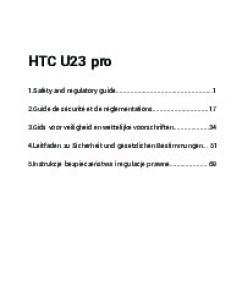
User Guide HTC U23 pro 2 Contents Contents Unboxing and setup HTC U23 pro overview 6 Inserting nano SIM and microSD cards 7 Unmounting the storage card 9 Charging the battery 10 Turning your phone on and off 10 Setting up your phone for the first time 11 Adding accounts 11 Ways of securing your phone 12 Notification LED 13 Changing your nano SIM card settings 13

Htc One A9s Qsg Iconography
23/09/2024 - dl4.htc.com
HTC One A9s Quick Start Guide Guide de d?marrage rapide Manuale Utente Rapido Gu?a de inicio r?pido Snel Start Gids Guia R?pido Kurzanleitung Hurtigstartsguide Snabbstartsquide Skr?cona Instrukcja ObsBugi Ghid de utilizare rapid @0B:>5 @C:>2>4AB2> ?>;L7>20B5;O >AV1=8: :>@8ABC20G0 ?KA?0H0 0=K?B0 @J:>2>4AB2> 70 ?>B@518B5;O Lynvejledning Nano SIM Nano SIM microSD Nano SIM HELP xxxxxxx-xxx Rev.X

Htc Privacy Policy 05092018 Fra
12/07/2024 - dl4.htc.com
Politique de confidentialité Cette politique de confidentialité (« Politique ») explique comment HTC Corporation et nos sociétés liées (« HTC » ou « nous/notre/nos ») recueillons, utilisons et partageons les informations personnelles que nous recueillons à votre sujet en tant qu'utilisateur des sites Internet, des appareils, des applications et des services HTC (collectivement les « Services »). HTC s'efforce de se conformer à toutes les lois qui s'appliquent à notre traitement des...


P42H • P50H - Inovat
21/11/2014 - www.samsung.com
P42H " P50H 42" and 50" Large Format Plasma Displays Features: " Slim connectivity provides VGA/DVI PC inputs and CVBS/ HDMI Video inputs, without paying for inputs you don t need " Optional Set Back Box for DTV (SBB-DT) or Networking (SBB-NT) connects easily via Samsung s proprietary HDMI " Built-in speakers mean no external speakers to install " 6-way anti burn-in protection for ensured longevity " 10,000:1 contrast ratio and 1,300 nits brightness for easily seen messages, even outdoors ...

Rallybarmini
Rallybarmini
28/03/2025 - www.logitech.com
DATASHEET LOGITECH RALLY BAR MINI VIDEO ENABLE SMALL AND MEDIUM ROOMS. ALL-IN-ONE VIDEO CONFERENCING AT THE TOUCH OF A BUTTON. PREMIER VIDEO BAR FOR SMALL TO MEDIUM MEETING ROOMS Logitech Rally Bar Mini raises the bar for video meetings in small and medium rooms. Rally Bar Mini is remarkably simple to deploy, use, and manage remotely. Plug and play Rally Bar Mini with any PC or laptop, or leverage its built-in compute and use it in appliance mode. Rally Bar Mini works with most platforms you...

Zone True Wireless Earbuds
13/09/2024 - www.logitech.com
FICHE TECHNIQUE ZONE TRUE WIRELESS EARBUDS Vos ?couteurs Bluetooth? Zone True Wireless Earbuds vous aident ? rester concentr?. Les micros antibruit, l'ANC hybride et le son immersif en font un outil id?al pour la collaboration dans des espaces de travail bruyants sans nuire ? la qualit?, la productivit? ou la cr?ativit?. Les ?couteurs Logitech Zone True Wireless Earbuds offrent des exp?riences immersives avec une qualit? de son et de connexion exceptionnelle. Gr?ce ? trois micros dans chaque...

Si vous avez effectué votre achat - TomTom
16/05/2016 - www.tomtom.com
TomTom Garantie Limitée (pour produits remises à neuf) GARANT Achats aux USA et au Canada : Si vous avez effectué votre achat aux États-unis ou au Canada, cette Garantie Limitée est accordée par, et cette Limitation de Responsabilité stipulée pour, TomTom Inc., 150 Baker Avenue Extension, Concord Massachusetts 01742 (États-unis d Amérique). CE QUI EST COUVERT PAR CETTE GARANTIE 1) TomTom Inc. ( TomTom ) certifie à l acheteur original (« vous ») du matériel qu accompagne cette...

Getting started with Première utilisation Logitech® Stereo Speakers ...
16/02/2012 - www.logitech.com
Getting started with Première utilisation Logitech® Stereo Speakers Z120 Logitech® Stereo Speakers Z120 Getting started with Première utilisation Logitech® Stereo Speakers Z120 2 Logitech® Stereo Speakers Z120 3 Logitech® Stereo Speakers Z120 1 2 English MP3 setup To play music from an MP3 player or iPod, plug the USB cable into your computer and plug the 3.5 mm audio connector into your MP3 player. Español Configuración de MP3 Para reproducir música desde un reproductor de...

Baby volant
Baby volant
03/04/2012 - www.vtech-jouets.com
Manuel d'utilisation Baby volant 91-100805-000-006 Imprimé en Chine 100805manual.indd 1 10/6/08 9:18:42 AM Chers parents, Chez VTech®, nous sommes conscients que les enfants sont notre avenir. C'est pourquoi tous nos jeux sont conçus de manière à inciter Bébé à découvrir le monde qui l'entoure. Toute la technologie et le sens de la pédagogie VTech® sont mis au service du développement de l'enfant : la découverte de son corps, sa relation au monde, le plaisir d'apprendre en jouant....