Tech Essentials For Higher Education Institutions Es Es

Extrait du fichier (au format texte) :

Aspectos tecnol?gicos esenciales para instituciones de educaci?n superior
Soluciones personalizadas dise?adas para profesores, personal y espacios de aprendizaje en todo el campus

ACTUALICE LOS EQUIPOS DE TRABAJO PARA AUMENTAR
LA COMODIDAD Y LA PRODUCTIVIDAD
Ayude a la administraci?n y al personal de la escuela a potenciar su jornada laboral con herramientas de productividad certificadas, compatibles y f?ciles de usar que optimizan los d?as con gran carga de trabajo tecnol?gico y minimizan el cansancio del usuario.

BRIO 505
Con encuadre autom?tico, Show Mode y una tapa de privacidad integrada, esta webcam f?cil de usar proporciona una experiencia de reuni?n mejorada y est? certificada para su uso con plataformas de videoconferencia populares como Microsoft Teams, Google Meet y Zoom.

LOGI DOCK FLEX
Esta estaci?n base multiusos ofrece al personal una mayor capacidad para gestionar escritorios compartidos en varias ubicaciones. Basta con conectar un port?til y empezar a trabajar.

COMBINACI?N DE TECLADO
Y RAT?N MK 650
Dise?ada para ofrecer comodidad durante todo el d?a, esta combinaci?n de teclado y rat?n se completa con un teclado de tama?o normal, funciones de pulsaci?n habituales y un reposamanos integrado que complementa el desplazamiento SmartWheel y la suave zona para el pulgar del rat?n.

MANDO INAL?MBRICO PARA
PRESENTACIONES SPOTLIGHT
Un puntero digital avanzado dise?ado para mantener a las personas involucradas en un entorno presencial, virtual o h?brido.

ZONE VIBE WIRELESS
Elimine las distracciones, ya sea en la escuela,
en casa o en los desplazamientos ajetreados.
Estos auriculares con cancelaci?n de ruido proporcionan audio n?tido y Bluetooth?
multipunto que permite alternar f?cilmente entre dispositivos para evitar interrupciones en las llamadas.


Les promotions


Maxim Integrated - Logitech
05/12/2014 - www.logitech.com
Case Study: Maxim Integrated Maxim Integrated Facilitates Global Collaboration with Logitech Webcams and Headsets Unified communications solution helps leading semiconductor company leverage global expertise for product development Company Info Maxim Integrated Company Size 9,300 employees Location Over 50 locations worldwide With 9,300 employees in more than 50 locations worldwide, Maxim Integrated has successfully developed thousands of highly integrated semiconductor products that help customers...

Zone 305 Datasheet
Zone 305 Datasheet
25/09/2024 - www.logitech.com
Datasheet Zone 305 Certified for leading business apps and calling platforms, Zone 305 is ideal for mass deployment. This ultra lightweight wireless headset features great audio and reliable connections for clear and uninterrupted calls. "C  ertified for business: Zone 305 is certified for Microsoft Teams, Zoom, Google Meet, and Google Voice with the plug-and-play receiver1. Also undergoing certification for Microsoft Teams over native Bluetooth1 without a dongle. "B  e heard clearly: Your...

TF715_UG_WEB_621-000211_005 - Logitech
05/12/2014 - www.logitech.com

Logitech ?????????
Logitech ?????????
05/12/2014 - www.logitech.com
Logitech n8boNö - ^.R©N-_à Logitech® n8boNö ^.R©N-_à              m;R¨... —‰N†‰ãfôYOá`oÿ   e°^ú‘Mne‡Nö _ëQe•è   R‘MT}Näó G •./c ”® ‘Mne‡NöeYz   _UR6Yc •.[ u‘–¾‰ã{T   oNöSG~§ Logitech e/cQzÙ g,^.R©N-_ÃcÐO›n8b‹¾YTŒ—󘑋¾Yv„vøQsOá`o0‹÷lèaÿ`¨v„ Logitech ‹¾YSï€ý^vN QwYg,^.R©N-_ÃN-v„gÐN›RŸ€ý0‹÷S€‹¾Y–D^&v„e‡hc0  ©...

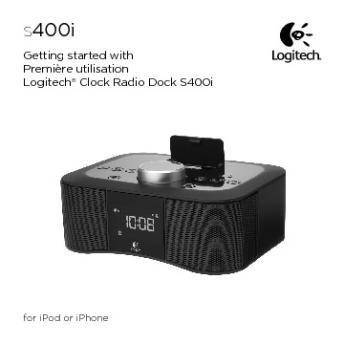
Getting started with Première utilisation Logitech® Clock Radio ...
16/02/2012 - www.logitech.com
s400i Getting started with Première utilisation Logitech® Clock Radio Dock S400i for iPod or iPhone Logitech® Clock Radio Dock S400i s400i Getting started with Première utilisation Logitech® Clock Radio Dock S400i for iPod or iPhone 2 Logitech® Clock Radio Dock S400i Contents English Français www.logitech.com/support 4 12 31 Español 20 3 Logitech® Clock Radio Dock S400i Clock Radio Dock S400i features 12 3 Front 1. iPhone or iPod digital mobile device dock 2. Dock cover release...

Getting started with Première utilisation BH970 Wireless Mono ...
16/02/2012 - www.logitech.com
Getting started with Première utilisation BH970 Wireless Mono DECT Headset Logitech for Business BH970 Wireless Mono DECT Headset Contents English. . . . . . . . . . . . . . . . . . . . . . . . . . 4 www.logitech.com/support/BH970 Français. . . . . . . . . . . . . . . . . . . . . . . . . 14 .. .. .. .. .. .. .. .. .. .. .. .. .. .. .. .. .. .. .. .. .. . 25 2 BH970 Wireless Mono DECT Headset Getting started with Première utilisation BH970 Wireless Mono DECT Headset Logitech for Business 3 BH970...

Local Hiring GRI EC7 - Logitech
05/12/2014 - www.logitech.com
Local Hiring GRI EC7 Procedures for local hiring and proportion of senior management hired from the local community at significant locations of operation 1. Do not have a global policy or common practices for granting preference to local residents when hiring in significant locations of operation Proportion of senior management in significant locations of operation from the local community: Logitech does not disclose these percentages, however our practice is to promote senior managers from within...

Group How To Use
Group How To Use
28/03/2025 - www.logitech.com
REFERENCE GUIDE Logitech GROUP STARTING A VIDEO CALL You must connect to a computer to use this device! 1 CONNECT Connect the USB cable to your computer. The camera and speakerphone will flash to show USB connection. 2 Optional: connect an external monitor or projector to your computer. 2 START Start your video application, ensuring that Logitech GROUP is selected as the camera, microphone and speaker in the application options. 1 3 3 GO The activity light is blue on the speakerphone when...


ARCHOS 50 Saphir : le smartphone durci abordable
29/12/2016 - www.archos.com
ARCHOS 50 Saphir : le smartphone durci abordable Paris  Lundi 29 août 2016  ARCHOS dévoile aujourd hui l ARCHOS 50 Saphir with LOGIC INSTRUMENT. Le constructeur français bénéficie des 30 années d expertise de sa filiale Logic Instrument, leader européen sur le marché des équipements mobiles dédiés aux entreprises et aux environnements extrêmes. L ARCHOS 50 Saphir a ainsi été spécifiquement conçu pour s adapter en milieux hostiles : boîtier durci, écran Gorilla© Glass de...

5019 312 10149 AWT 5108/4 H
20/03/2015 - docs.whirlpool.eu
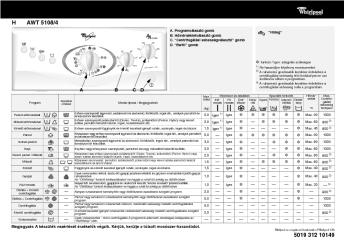
H AWT 5108/4 A. Programválasztó gomb B. HQmérsékletválasztó gomb C. Centrifugálási sebességválasztó  gomb D. Be/Ki  gomb Hideg  h: funkció / Igen: adagolás szükséges 1) 2) 3) A Program Kezelési címkék B C D Ne használjon folyékony mosószereket. A ruhanemq gondosabb kezelése érdekében a centrifugálási sebesség 800 fordulat/percre van korlátozva ebben a programban. A ruhanemq gondosabb kezelése érdekében a centrifugálási sebesség nulla a programban. °C Max. Centrifugálási sebesség ford/perc h Max....

appareils photo numériques quel appareil photo coolpix ... - Nikon
04/07/2018 - www.nikon.fr
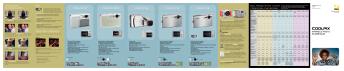
TECHNOLOGIES NIKON INNOVANTES Wi-Fi QUEL APPAREIL PHOTO COOLPIX CORRESPOND À MES BESOINS ? & Innovation révolutionnaire, la prise en charge intégrée des réseaux LAN sans ûl vous permet de transférer vos photos vers un ordinateur sans liaison ûlaire, soit depuis la mémoire de l appareil photo, soit à chaque fois que vous prenez un cliché. La technologie Wi-Fi prend également en charge l impression sans ûl. Conûguration sans ûl " Insérez le CD-ROM du logiciel PictureProject...

CISV Display Price List - 07 03 2007 - Samsung
21/11/2014 - www.samsung.com
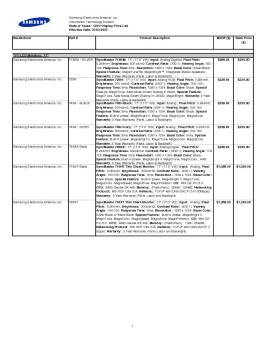
Samsung Electronics America, Inc. Information Technology Division State of Texas - CISV Display Price List Effective Date: 07/03/2007 Maufacturer TFT-LCD Monitors: 17" Samsung Electronics America, Inc. Samsung Electronics America, Inc. Samsung Electronics America, Inc. Part # Product Description 713BM - SILVER SyncMaster 713BM: 17  (17.0  VIS); Input: Analog/Digit4al; Pixel Pitch: 0.264mm; Brightness: 300 cd/m2; Contrast Ratio: (700:1); Viewing Angle: 160 / 160; Response Time: 8ms; Resolution:...

Four mixte air-o-steam Electrolux
16/04/2012 - tools.professional.electrolux.com
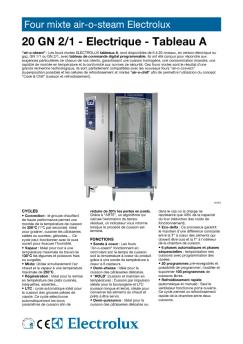
Four mixte air-o-steam Electrolux 20 GN 2/1 - Electrique - Tableau A "air-o-steam" : Les fours mixtes ELECTROLUX tableaux A, sont disponibles de 6 à 20 niveaux, en version électrique ou gaz, GN 1/1 ou GN 2/1, avec tableau de commande digital programmable. Ils ont été conçus pour répondre aux exigences particulières de chacun de nos clients, garantissant une cuisson homogène, une consommation moindre, une rapidité de montée en température et la conformité aux normes de sécurité. Ces...

SI933D
SI933D
18/06/2012 - www.smeg.fr
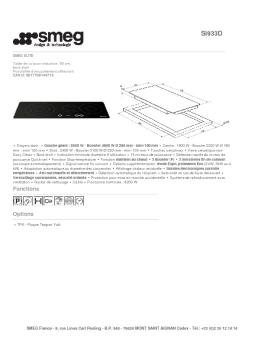
SI933D SMEG ELITE Table de cuisson induction, 90 cm, bord droit EAN13: 8017709144715 3 foyers dont : Gauche : 2800 W - Booster 4600 W Ø 280 mm - mini 100 mm Centre : 1800 W - Booster 2200 W Ø 160 mm mini 100 mm Droit : 2400 W - Booster 3100 W Ø 230 mm - mini 100 mm Touches sensitives Verre céramique noir Easy Clean Bord droit Indication minimale diamètre d'utilisation 15 niveaux de puissance Sélection rapide du niveau de puissance Quick-set Fonction Stop-température Fonction maintien au...