Tp735 1 2105 Us Seagate Lyve Cloud Backup And Restore Solution Brief

Extrait du fichier (au format texte) :

Use Case Brief

BACKUP AND RESTORE

Lyve Cloud for
Backup & Restore
Overcome backup data and restore challenges.

Challenge Summary

Benefits Summary

Enterprises across industries are faced with exponential data growth,
creating major challenges for data backups. These challenges are exacerbated by organically grown environments, insufficient on-premises storage capacity, inefficient traditional backup options, and the risk of exposure to significant data loss events. Further complications arise when enterprises are tasked with managing and maintaining existing backup infrastructure and legacy storage devices and technologies.

" Easy Backup Storage Management: Always-on multi-regional availability facilitates easy backup to the cloud and quick data retrieval without lock-in concerns.

When it comes to business continuity, restores can't wait. As such, a secure, accessible, and scalable cloud backup storage option is crucial for every business's data management and business continuity strategy.

Solution Summary
Lyve!" Cloud offers a simple, trusted, and efficient cloud backup storage solution. With zero charges for API calls or egress fees, Lyve
Cloud's simple pricing supports limitless scalability without breaking the bank. Users pay only for the storage they need for however long they need it. Designed for use with the most common backup applications, Lyve Cloud is S3 compatible. All data stored within Lyve
Cloud is fully encrypted at rest and in flight from end to end. Multiregional availability means data is always on and available without costly delays. Cloud air gapping, ransomware protection, and object immutability make Lyve Cloud an excellent solution for data backups,
restores, and disaster recovery.

" Compatible and Certified: Lyve Cloud's S3-compatible interface is certified with leading backup software providers.
" Data Protection and Security: Lyve Cloud is built to ensure world-class security and data durability. With object immutability,
compliance requirements can be met with ease. Further,
ransomware protection safeguards data from cybersecurity threats. Data is encrypted at rest and in flight and will always remain as the customer's data.
" Predictable Cloud Economics: Eliminate cost uncertainty and the challenges of managing additional on-premises backup


Les promotions


P120 Product Data Sheet Rev 1.0 - Seagate
16/03/2018 - www.seagate.com
T166 Series CAPACITY 1 MODEL 8MB 80GB 160GB 320GB 500GB HD080GJ HD160HJ HD320KJ HD321KJ HD500LJ HD501LJ 16MB FEATURES " " " " " " " " " " " ENVIRONMENTAL SPECIFICATIONS Temperature Operating 0 ~ 60 °C Non-operating -40 ~ 70 °C Thermal Gradient (max.) 20°C/hr Humidity (non-condensing) Operating 5 ~ 90 % Non-operating 5 ~ 95 %

Maxtor Shared Storage II Quick Start Guide, EU - Seagate
24/10/2017 - www.seagate.com
Quick Start Guide MAXTOR SHARED STORAGE!" II Quick Start Guide MAXTOR SHARED STORAGE!" II Contents English . . . . . . . . . . . . . . . . . . . . . . . . . . . . . . . . . . . . . . . . . .2 Français . . . . . . . . . . . . . . . . . . . . . . . . . . . . . . . . . . . . . . . . . .6 Deutsch . . . . . . . . . . . . . . . . . . . . . . . . . . . . . . . . . . . . . . . . .10 Italiano . . . . . . . . . . . . . . . . . . . . . . . . . . . . . . . . . . . . . . . . .14 Español . . . . . . . ....

SeaToolsDOSguide.FR.txt README.TXT R?vision : 31-Dec ... - Seagate
23/08/2019 - www.seagate.com
SeaToolsDOSguide.FR.txt README.TXT Revision : 31-Dec-2010 **IMPORTANT** Ce fichier est associe a un CD-ROM special, auto-executable sous DOS. SeaTools est concu pour s-executer uniquement dans un environnement DOS ; il ne s-agit pas d-une application Windows. SeaTools ne peut pas etre execute sous Windows dans une fenetre DOS. Veuillez vous reporter a la section ? Utilisation de SeaTools ? pour plus d-informations sur le demarrage a partir de ce CD. Seagate Technology LLC SeaTools pour DOS v2.23 Copyright...

Exos X 2u12 DS1994 7 2112US En US
13/08/2024 - www.seagate.com
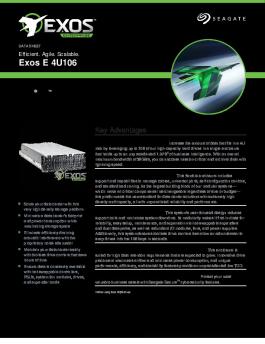
DATA SHEET Efficient. Agile. Scalable. Exos X 2U12 Advanced Storage Array Seagate® Exos ® X advanced storage array is a petabyte-scale, rack-mounted block storage enclosure with self-healing technology, advanced data protection, and software value delivering superefficient mass-capacity storage for conventional data centers and cloud infrastructure. Key Advantages Reliable and Self-healing. Exos X features self-healing storage technology, Advanced Distributed Autonomic Protection Technology...

SB512 1 2011US Seagate Genetec Solutions Brief Final
16/08/2024 - www.seagate.com
Solution Brief VIDEO MANAGEMENT SYSTEM (VMS) Building an Efficient and Cost-Effective Video Management Solution Seagate® delivers unified video management with Genetec!" Security Center Solution Summary The Genetec!" unified security platform combined with Seagate enterprise storage system's Exos® X delivers a centralized storage solution that supports multiple concurrent video streaming with the highest data protection for your surveillance deployment. Benefits Summary " Optimized streaming...

Sb 533 1 2112us Seagate Solution Brief Veeam Final
16/09/2024 - www.seagate.com
Solution Brief LY VE CLOUD WITH VEEAM AVAILABILIT Y SUITE Modern Data Protection for Enterprises and Cloud Service Providers Support testable, cyber-resilient backups and better business analytics with Seagate Lyve Cloud and the Veeam Availability Suite. Challenge Summary Data is critical to keeping your business running. With data volume and velocity continuing to grow at an exponential pace, and workloads accelerating to multicloud ecosystems, data and costs are harder to manage than ever before....

Backup Plus Slim Quick Start Guide
12/08/2024 - www.seagate.com
3 1 EN WWW.SEAGATE.COM Mac: Download the Paragon driver to use with your Mac: www.seagate.com/ paragon. For Time Machine, the hard drive must be formatted for Mac. To maximize performance, connect your drive to a USB 3.0 port. Also compatible with USB 2.0. Libraries Computer Seagate Backup Plus Drive Start_Here_Win Network 1 2 2 To use with your Mac ® Go to: www.seagate.com/paragon Paragon Driver SUPPORT USB 3.0 USB 2.0 Downloads Paragon Driver for Mac OS Note: To protect your data,...

enregistrer en tant que pdf - Seagate
19/07/2016 - www.seagate.com
Seagate Access pour Personal Cloud © 2015 Seagate Technology LLC. Tous droits réservés. Seagate, Seagate Technology, le logo en forme de vague et FreeAgent sont des marques commerciales ou des marques déposées de Seagate Technology LLC ou de l'une de ses filiales. Les autres marques commerciales ou marques déposées sont la propriété de leurs détenteurs respectifs. En termes de capacité du disque dur, un gigaoctet, ou Go, équivaut à un milliard d octets et un téraoctet, ou To, équivaut...


LED TV 16/9 - the TCL-THOMSON Media center
06/06/2016 - www.thomsontv.fr
LED TV 16/9 32HZ3223 Spécifications du 32HZ3223 Résolution : 1366 X 768 Luminosité : 200 cd/m2 Contraste dynamique : Mega Contrast Son : Stéréo 2 x 5 W Prêt pour la télévision numérique haute définition (Canal Ready *: Port CI+ compatible avec le mini-décodeur (ou module) CANAL READY permettant de recevoir les chaînes payantes du groupe CANAL+ via la TNT Connectique numérique : 2 HDMI - HDCP - 1 CMP Port USB Multimédia (vidéo haute définition, photo, musique) : 1 Péritel : 1 *...

Ethernet Disk mini - LaCie
11/04/2018 - www.lacie.com
Ethernet Disk mini v. 2.0 LaCie Ethernet Disk mini Manuel d utilisation Table des matières page 2 Table des matières Avant-propos Précautions d emploi 1. Introduction 1.1. Possibilités du disque LaCie Ethernet Disk mini 2. Votre disque LaCie Ethernet Disk mini 2.1. Conûguration minimum 2.1.1. Connectivité Ethernet 2.1.2. Connectivité USB 2.2. Contenu du coffret 2.3. Vues du disque 2.3.1. Vue avant 2.3.2. Vue arrière 2.4. Câbles et connecteurs 2.4.1. Hi-Speed USB 2.0 2.4.2. Ethernet 3....

Zone 305 Datasheet
Zone 305 Datasheet
12/09/2024 - www.logitech.com
Fiche technique Zone 305 Certifi? pour les principales applications professionnelles et plateformes d'appel, le Zone 305 est id?al pour le d?ploiement de masse. Ce casque sans fil ultral?ger offre un son exceptionnel et des connexions fiables pour des appels clairs et ininterrompus. "C  ertifi? pour les entreprises : Le Zone 305 est en cours de certification pour Microsoft Teams via Bluetooth1 natif sans dongle. Il est ?galement certifi? pour Microsoft Teams, Zoom, Google Meet et Google Voice...

navigon plus 70 | premium 70 | premium 70 live
30/08/2018 - www.navigon.com
NAVIGON 70 Plus NAVIGON 70 Premium NAVIGON 70 Premium Live Manuel utilisateur Français Août 2010 Le symbole représentant une poubelle barrée sur roues signifie que dans l'Union européenne, le produit doit faire l'objet d'une collecte sélective en fin de vie. Cette mesure s'applique non seulement à votre appareil mais également à tout autre accessoire caractérisé par ce symbole. Ne jetez pas ces produits dans les ordures ménagères non sujettes au tri sélectif. Impressum NAVIGON...

H570e Datasheet
H570e Datasheet
25/09/2024 - www.logitech.com
DATA SHEET LOGITECH USB HEADSET H570e For people who make their living on the phone, a comfortable headset makes every call more productive. Logitech H570e Headset delivers comfort day after day. Acoustic echo cancellation and digital signal processing (DSP) block out unwanted noise for clear conversations. The lightweight design and durable materials mean you can wear the H570e all day. Leatherette ear pads, and padded headband with metal reinforcement provide strength and flexibility, with...

Thank you!
Thank you!
16/02/2012 - www.logitech.com
Thank you! Merci! ¡Gracias! English 1 Contents / Contenu / Esta caja contiene Troubleshooting / Dépannage / Resolución de problemas English 1. Make sure the speakers are plugged into an AC outlet and the power button is on. 2. Turn the speaker on by adjusting the power/volume control to the center position. - Click on sound icon in Windows Control Panel/Macintosh System Preferences. Set sound card as default audio device. - Adjust your audio source volume to 80% or more. 3. Try connecting...