Pages 28-55 - Nintendo

Extrait du fichier (au format texte) :

C/NTR-USA-1

NEED HELP WITH INSTALLATION,
MAINTENANCE OR SERVICE?
NINTENDO CUSTOMER SERVICE: WWW.NINTENDO.COM
or call 1-800-255-3700, MON.-SUN., 6:00 a.m. to 7:00 p.m,
Pacific Time (Times subject to change)
TTY Hearing Impaired: 800-422-4281

BESOIN D'AIDE AVEC L'INSTALLATION,
L'ENTRETIEN OU LE SERVICE ?
SERVICE À LA CLIENTÈLE DE NINTENDO: www.nintendo.ca
Ou appelez le 1-800-255-3700 LUN.-DIM., entre 6 h 00 et 19 h 00 ,
heure du Pacifique. (Heures sujettes à changement)
Service à la clientèle ATS : 1-800-422-4281

¿NECESITA AYUDA CON LA INSTALACIÓN
MANTENIMIENTO O SERVICIO?
SERVICIO AL CLIENTE DE NINTENDO: WWW.NINTENDO.COM
o llame al 1-800-255-3700 LUN. - DOM., 6:00 a.m. a 7:00 p.m.
Tiempo del Pacífico (Las horas pueden cambiar)
Número de TTY de Servicio al Cliente para individuos con impedimento auditivo: 1-800-422-4281

If you would like to order Nintendo parts, please visit our online store at www.nintendo.com or call 1-800-255-3700. This Nintendo product is not designed for use with any unauthorized accessories.
Si vous souhaitez commander des pièces pour les produits de Nintendo, visitez notre magasin en ligne à www.nintendo.com ou appelez le 1-800-255-3700. Ce produit de
Nintendo n'est pas conçu pour son utilisation avec des accessoires non autorisés.
Si a Usted le gustaría ordenar piezas de Nintendo, por favor visite nuestra tienda en el sitio Internet www.nintendo.com o llame 1-800-255-3700. Este producto no está
diseñado por uso con accesorios no autorizados.

INSTRUCTION
BOOKLET
MODE
D'EMPLOI (Pages 28-55)
FOLLETO DE
INSTRUCCIONES (Páginas 56-83)

Nintendo of America Inc.
P.O. Box 957, Redmond, WA 98073-0957 U.S.A.
PRINTED IN USA

IMPRIMÉ AUX E.-U.

IMPRESO EN LOS EE.UU.

55877C

Les promotions


GBA Manual UK DE FR
GBA Manual UK DE FR
20/02/2026 - www.nintendo.com
AGB-EUR_A_8 26.09.2007 13:08 Uhr Seite 2 [0501/FUG/AGB-HW] This seal is your assurance that Nintendo has reviewed this product and that it has met our standards for excellence in workmanship, reliability and entertainment value. Always look for this seal when buying games and accessories to ensure complete compatibility with your Nintendo Product. Ce sceau est votre assurance que Nintendo a approuv? ce produit et qu'il est conforme aux normes d'excellence en mati?re de fabrication, de fiabilit?...

OrigamiInstructions Pikmin Body Red Yellow Blue IT
23/11/2025 - www.nintendo.com
Pikmin rosso - corpo Dimensioni foglio consigliate: 20 x 20 cm Piega insieme a questa guida video! https://youtu.be/5PR1wZ1iGJU 1 2 Piega a met? lungo entrambe le diagonali, facendo combaciare gli angoli e le pieghe. 5 3 Piega verso l'interno gli angoli destro e sinistro, facendo combaciare i lati con la piega centrale. 4 Volta il foglio. 6 Piega la punta inferiore verso il centro e riapri. 7 Apri completamente il foglio e voltalo. Piega gli angoli destro e sinistro verso l'interno...

INSTRUCTION BOOKLET 1 About the e-Reader ... - Nintendo
02/12/2014 - www.nintendo.com
USA " Pour une version française de ce manuel, veuillez aller sur le site www.nintendo.com/consumer/manuals.html ou appeler le 1-800-255-3700. " Para obtener la versión de este manual en español, visite muestro web site a www.nintendo.com/consumer/manuals.html o llame a 1-800-255-3700. TM © 2001, 2002 Nintendo/Creatures Inc./HAL Laboratory, Inc. TM, ® and the e-Reader logo are trademarks of Nintendo. "Dot Code Technology" is licensed by OLYMPUS OPTICAL CO., LTD. © 2002 Nintendo. INSTRUCTION...

Consolerepairs Privacypolicy Nlnl
19/03/2025 - www.nintendo.com
Nintendo of Europe SE - The Netherlands Zoomstede 21, 3431 HK Nieuwegein The Netherlands www.nintendo-europe.com Privacybeleid Nintendo Repair Services (Nintendo Reparatiediensten) Laatst bijgewerkt in: 03.2025 Dit Privacybeleid is van toepassing op het gebruik van het Nintendo Reparatieportaal dat op deze website wordt beheerd door Nintendo of Europe SE ( Nintendo , wij , ons ), Goldsteinstrasse 235, 60528 Frankfurt am Main, Duitsland, en op de verwerking van persoonsgegevens in het kader...

Consolerepairs Privacypolicy Uken
24/03/2025 - www.nintendo.com
Nintendo UK Quadrant 55-57 High Street Windsor SL4 1LP Nintendo Repair Services Privacy Policy This Privacy Policy applies to the use of the Nintendo Repair Portal operated on this website by Nintendo of Europe SE ("Nintendo", "we", "us"), Goldsteinstrasse 235, 60528 Frankfurt am Main, Germany, and to the processing of repair services. Nintendo is the controller within the meaning of the General Data Protection Regulation (Regulation (EU) 2016/679 of the European Parliament and of the Council...

Descarge la versión .pdf aquí - Nintendo
02/12/2014 - www.nintendo.com
C/TWL-USZ Health and Safety Precautions Booklet Manuel de précautions concernant la santé et la sécurité Folleto de precauciones de salud y seguridad 55878E WARNING - Seizures Convulsions Altered vision Eye or muscle twitching Involuntary movements AVERTISSEMENT- Danger d'attaque ADVERTENCIA - Ataques Loss of awareness Disorientation convulsions troubles de la vue perte de conscience tics oculaires ou musculaires mouvements involontaires désorientation Convulsiones Visión alterada Desorientación...

DSi Manual FR
DSi Manual FR
17/08/2025 - www.nintendo.com

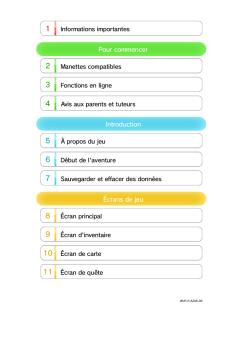
Super Mario Maker for Nintendo 3DS 1 Informations importantes ...
08/03/2018 - www.nintendo.com
Super Mario Maker for Nintendo 3DS 1 Informations importantes Informations de base 2 Partage d'informations 3 Fonctions en ligne 4 Contrôle parental Pour commencer 5 Mary O. et Yamamura Créer des niveaux 6 Création et sauvegarde 7 Techniques de Mario Maker Jouer aux niveaux 8 Jouer aux niveaux 9 Incarner Mario Menu principal 10 Menu principal 11


Zdravo. - Support - Apple
27/11/2014 - manuals.info.apple.com
Dobrodoali u svoj novi iPhone. }elimo vas malo upoznati sa njim. Za po etak uklju ite iPhone dugim pritiskom dugmeta za uklju ivanje/isklju ivanje. Zatim slijedite instrukcije sa ekrana da biste podesili svoj iPhone. Osnovne informacije o dugmadima Da isklju ite ili restartujete iPhone, pritisnite i dr~ite dugme za uklju ivanje/isklju ivanje pritisnutim, a zatim povucite kliza za potvrdu. Da biste isklju ili ekran, a joa uvijek mogli primati poruke, pritisnite jednom dugme za uklju ivanje/isklju ivanje....

MFC-J4420DW - TopAchat
01/07/2016 - www.brother.fr
MFC-J4420DW VOTRE MEILLEURE RECRUE nso mmab le Utilisez les s ab les Co ns www.brother.fr/print3-0 m om ma bles Consom POUR FAIRE GRANDIR VOTRE ENTREPRISE Co MFC- J4420DW Ce multifonction 4-en-1 est l'outil idéal pour gagner en productivité et imprimer vos documents quotidiens. L'impression recto-verso automatique, l'impression mobile et la possibilité d'imprimer en A3 font de ce MFC-J4420DW le meilleur atout pour votre activité.

COMBINÉ
COMBINÉ
19/02/2012 - www.lg.com
COMBINÉ MC-8290NB EQUIPEMENTS Capacité Programmation Type Cavité Type d'ouverture de porte litres 32 Electronique Bouton Semi-arrondie Porte latérale watts 900 OUI 5 watts 1 250 MICRO-ONDES Puissance restituée Double diffuseur d'ondes Niveaux de puissance GRIL Puissance absorbée Type de résistance Voûte QUARTZ CHALEUR PULSÉE Puissance absorbée watts 2 050 watts watts 2 550

Logitech Alert™ 700e/750e
16/02/2012 - www.logitech.com
Logitech Alert!" 700e/750e English System Support Guide Deutsch Systeminformationen und Kundendienst Français Guide des systèmes pris en charge Logitech Alert Video Security System System Support Guide Contents System Requirements System Requirements . . . . . . . . . . . . . . . . . . . . . . . . . . . . 3 Software installation requires an Internet connection. For More Software & Product Information . . . . . . . . . . . . . . . . . . 4 Remote viewing requires a PC or Internet-based...

AsUs AU CeBIT 2010 : l'INNOVATION AU CœUR des ...
05/09/2016 - www.asus.fr
Communiqué de presse - ASUS CeBit 2010 ASUS au CeBIT 2010 : l innovation au cSur des préoccupations Asus dévoile ses dernières innovations en matière de cloud computing et d informatique multimédia, écologique et ludique CeBIT 2010 - HANOVRE, Allemagne, 2 mars 2010  ASUS dévoile aujourd hui sa gamme de produits et d avancées technologiques s inscrivant dans le principe de « L innovation au Service de la Perfection »*. Conçues selon l idée que les technologies de l information...

Issue 06: Tips for Reproducing Solid Picture Edges - Sony
16/02/2012 - www.sony.fr
Camera Settings To adjust KNEE APERTURE, use the DETAIL 2 page of the PAINT menu. Issue 06 DETAIL 2 of the PAINT 1 Open menu. 00 CONTENTS Tips for Reproducing Solid Picture Edges of an Image s Highlights nal. The Before setting  image demonstrates how the KNEE function eliminates highlight washed-outs,  but also shows that the picture edges of bright objects such as the flower petals and plastic cubes get blurred. In such situations, the picture edges of the highlight areas can be reproduced...