Logitech Crayon Product Brief

Extrait du fichier (au format texte) :

Logitech Crayon
Unlocking personalized learning and facilitating natural collaboration for students with peers and teachers.

A WORLD OF POSSIBILITIES
Students need the flexibility to work different ways based on the subject or task at hand. From drawing to manually working out math problems to taking handwritten notes, students thrive when they can learn their way.
Enabling teachers to easily collaborate with students supports learning, builds student confidence, and strengthens the student-teacher relationship. Logitech?
Crayon lets teachers make notes on any student's iPad? with no pairing needed.

MEET THE CRAYON

APPLE PENCIL
TECHNOLOGY

NO PAIRING
NEEDED

PIXEL PERFECT
READABILITY

PALM REJECTION
TECHNOLOGY

Supports hundreds of apps for sketching, language learning,
creating, writing, and more.

Just turn on and go! And,
with up to a 7.5-hour battery life and fast charging, the
Crayon is always ready to go.

With a smart tip that adjusts line weight with tilt and zero perceptible lag time, every note is clear and readable.

Lets students and teachers rest their hands on the screen in a natural writing position with no interference.

A COMMITMENT TO EDUCATION
At Logitech, we are curious lifelong learners, constantly questioning and inventing. We are relentless in our pursuit of tools that make an impact.
This passion drives us every day to design innovative products that create transformational and accessible


Les promotions

Promo
14.9 € 12.9 €


Enhance Critical Digital Literacy Skills
09/05/2025 - www.logitech.com
Enhance Critical Digital Literacy Skills The right edtech can boost student reflection and engagement, and improve learning outcomes The Right Tools at the Right Time As schools increasingly look to empower digital literacy and inclusion, it's important to equip students with appropriate technology tools that highlight their skills, not hinder their capabilities. INPUT DEVICES THAT PUT STUDENTS IN CONTROL Boost student productivity with intuitive navigation and typing tools that help them deliver...

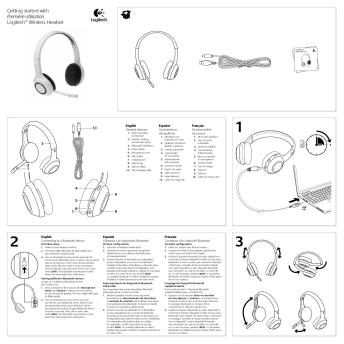
Getting started with Première utilisation Logitech® Wireless Headset
16/02/2012 - www.logitech.com
Getting started with Première utilisation Logitech® Wireless Headset Getting started with Première utilisation Logitech® Wireless Headset 10 English Headset features 1. Noise-canceling microphone 2. Flexible, rotating microphone boom 3. Adjustable headband 4. Power switch 5. Microphone mute 6. Status light 7. Charging port 8. Volume up 9. Volume down 10. USB charging cable Español Características del audífono 1. Micrófono con supresión de ruido 2. Varilla de micrófono flexible y giratoria...

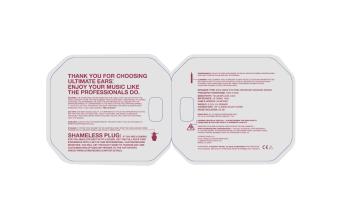
thank you for choosing ultimate ears. enjoy your ... - Logitech
05/12/2014 - www.logitech.com
ÌØßÒÕ ÇÑË ÚÑÎ ÝØÑÑÍ×ÒÙ ËÔÌ×ÓßÌÛ ÛßÎÍò ÛÒÖÑÇ ÇÑËÎ ÓËÍ×Ý Ô×ÕÛ ÌØÛ ÐÎÑÚÛÍÍ×ÑÒßÔÍ ÜÑò r ÉÛßÎ×ÒÙæ ÌØÛ ÛßÎÐØÑÒÛÍ ÝßÒ ÞÛ ÉÑÎÒ É×ÌØ ÌØÛ ÝßÞÔÛ ÑÊÛÎ ÌØÛ ÛßÎ ÑÎ É×ÌØ ÌØÛ ÝßÞÔÛ ÍÌÎß×ÙØÌ ÜÑÉÒò ÚÑÎ ÌØÛ ÍÔ×ÓÓÛÍÌ ÐÎÑÚ×ÔÛ ßÒÜ ÓÑÍÌ ÝÑÓÚÑÎÌßÞÔÛ Ú×Ì ÜËÎ×ÒÙ ÛÈÝÛÎÝ×ÍÛô ÉÛ ÎÛÝÑÓÓÛÒÜ ÌØÛ ÑÊÛÎóÌØÛóÛßÎ...

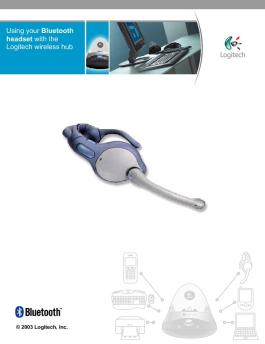
Using your Bluetooth headset with the Logitech wireless hub
05/12/2014 - www.logitech.com
Using your Bluetooth headset with the Logitech wireless hub © 2003 Logitech, Inc. Using your Bluetooth headset with the Logitech wireless hub Contents Introduction 3 Product compatibility 3 About this guide 4 Get connected 6 Connecting your Logitech headset 6 Checking your headset is connected 14 Communicate without wires 15 Listening to streaming news and music 15 Voice chatting with your instant messenger 16 Learn more about connecting 20 Disconnecting and unpairing your headset 20 Reconnecting...

Group Datasheet
Group Datasheet
28/03/2025 - www.logitech.com
DESIGNED FOR BIG ROOMS AND EVEN BIGGER IDEAS. Logitech GROUP GROUP, the amazingly affordable video conferencing system for mid to large-size conference rooms, allows any meeting place to be a video collaboration space. It's as simple to use as a mobile phone and affordable as an office chair, now it's easier than ever to include anyone in the conversation. USB plug-and-play connectivity makes GROUP a breeze to deploy and use. It even works within your own familiar computing environment with any...

When To Use A Stylus And A Mouse For Optimal Learning
24/09/2025 - www.logitech.com
Technische tools afstemmen op leerstijlen Er zijn meer technische hulpmiddelen beschikbaar dan ooit, maar welke moet je als school gebruiken? En wanneer? Laten we eens kijken naar de voordelen van lesgeven en leren met de stylus en de muis! Gebruik een Bij actief leren Je hoeft niet te blijven zitten! Met een stylus en een tablet of Chromebook kunnen studenten en leerkrachten opstaan en bewegen. Ze kunnen van alles doen: van het laten rouleren van kleine groepjes tijdens de geschiedenisles...

C925e Datasheet
C925e Datasheet
14/03/2025 - www.logitech.com
DATASHEET C925E BUSINESS WEBCAM High-Quality Meetings with H.264 Support. Designed for business, C925e works seamlessly with popular cloud conferencing providers to empower your team to collaborate with smooth, HD 1080p video calls from any location. C925e provides a 78? diagonal field of view, HD autofocus and auto light correction that adjusts visual quality intelligently; dual omnidirectional mics capture audio clearly up to one meter away. Powered by the UVC H.264 encoding technology, C925e...

pg. 1 Logitech for Business Webcam Software - Onedirect
05/12/2014 - www.logitech.com
Logitech for Business Webcam Software System Administrators Guide Logitech for Business Webcam Software System Administrators Guide June 18 2009 Logitech, Inc. Copyright/trademark notice (c) 2009 Logitech Inc. All rights reserved. Logitech, the Logitech logo and other Logitech marks are owned by Logitech and may be registered. Microsoft, Windows Vista and Windows are trademarks of Microsoft group of companies. All other trademarks are the property of their respective owners. This manual is published...


Manuel d'utilisation
03/04/2012 - www.vtech-jouets.com
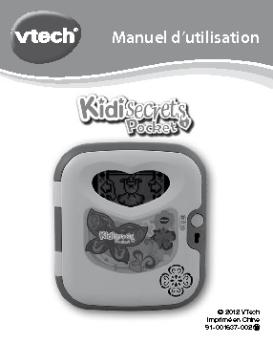
Manuel d'utilisation © 2012 VTech Imprimé en Chine 91-001637-002 Chers parents, Chez VTech®, nous sommes conscients que les enfants sont notre avenir. C'est pourquoi tous nos jeux sont conçus de manière à entretenir et renforcer leur désir d'apprendre. Toute la technologie et le sens de la pédagogie VTech® sont mis au service de la connaissance pour faciliter la découverte des lettres, des mots, des chiffres, des opérations... Chez VTech®, nous nous engageons à tout faire pour que...

fiche prodcadre 8900
20/03/2012 - www.thomsontv.fr
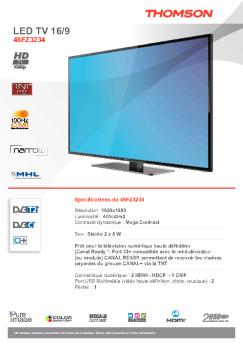
LCD TV 16/9 26HE9234B Spéci cations clés du 26HE9234B Résolution: 1366 x 768 Technologie d'amélioration d'image: Pure Image 2 - Intelligent HD Engine Luminosité: 450 cd/m 2 Contraste dynamique: 25 000:1 Son: Stéréo Nicam: 2 x 3 w Tuner (décodeur): TNT (MPEG-4), TNT (MPEG-2), analogique Connectique numérique: 3 HDMI - CEC, 1 YPrPb Port USB multimédia (video HD et SD, photo, musique) Péritel: 2 Entrée PC VGA: 1 LCD TV 16/9 26HE9234B MARQUE Marque THOMSON 66 / 26 16 / 9 LCD 1366 x 768...

Mon clown des découvertes
03/04/2012 - www.vtech-jouets.com
Manuel d'utilisation Mon clown des découvertes © 2010 VTech Imprimé en Chine 91-002399-004-000 Chers parents, Chez VTech®, nous sommes conscients que les enfants sont notre avenir. C'est pourquoi tous nos jeux sont conçus de manière à inciter Bébé à découvrir le monde qui l'entoure. Toute la technologie et le sens de la pédagogie VTech® sont mis au service du développement de l'enfant : la découverte de son corps, sa relation au monde, le plaisir d'apprendre en jouant. Chez...

Fiche Produit CAM 2007
13/02/2012 - www.samsung.com
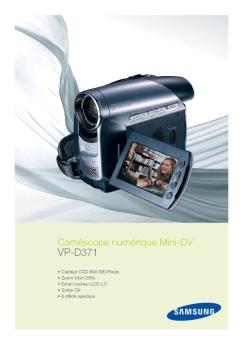
Caméscope numérique Mini-DV VP-D371 " Capteur CCD 800 000 Pixels " Zoom 34x/1200x " Ecran couleur LCD 2,5  " Sortie DV " 8 effets spéciaux Caméscope numérique Mini-DV VP-D371 Caractéristiques Objectif caméscope Zoom Optique/Numérique . . . . . . . . . . . . . . . . . . . . . . . . . . . . . . . . . . . .34x / 1200x Vitesse du zoom . . . . . . . . . . . . . . . . . . . . . . . . . . . . . . . . . . . . . . . . . . . . . . . .5 sec Zoom numérique débrayable . . . . . . . . . . ....

Téléchargez la fiche produit - Bureautique de Tahiti
01/07/2016 - www.brother.fr
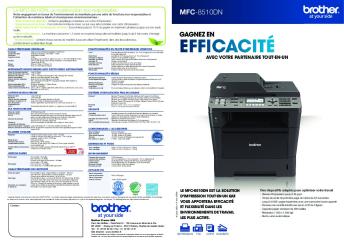
Le MFC-8510DN, un multifonction éco-responsable MFC-8510DN Notre engagement en faveur de l environnement se manifeste par une série de fonctions éco-responsables et l obtention de nombreux labels et récompenses environnementaux : - Toner et tambour séparés : Limitez le gaspillage et réduisez vos coûts d impression. - Mode économie de toner : Ce mode économise le toner, ce qui vous aide à réduire vos coûts d impression. - Recto-verso, N-en-1 et impression de livret : Économisez...

Side Stream Consumer FAQ FR LR
07/08/2024 - www.philips.com
CTN - HH1361/00, PN  HS860-001 Nébuliseur réutilisable SideStream FAQ France Traitement / Utilisation Q. Où dois-je mettre le médicament ? R. Dévissez les deux moitiés du nébuliseur SideStream. Retirez le médicament de l'emballage et versezle dans la partie inférieure du nébuliseur. Prenez soin de verser tout le contenu. Remarque : si vous devez diluer la solution médicamenteuse, ajoutez la quantité demandée de solution saline. Revissez les deux moitiés du nébuliseur SideStream...